Technical SEO in Birmingham, AL
Zenogram helps Birmingham businesses diagnose technical search issues from our Hoover office. We check how Google reaches important pages, which URLs it treats as canonical, and what changed after a rebuild or migration.
What Birmingham technical SEO covers
Crawl access and indexability
Check whether important pages return a usable response, allow crawling, and are eligible to be indexed.
Canonicals and duplicate URLs
Compare the preferred URL, the page’s canonical tag, and the URL Google selected when data is available.
Redirects and missing pages
Map changed addresses to relevant destinations and check for broken links, redirect chains, and unintended errors.
Internal links and XML sitemaps
Help crawlers and visitors find priority pages and check that the sitemap lists the intended canonical URLs.
Rendered content and performance
Review what loads on mobile and flag rendering or speed problems that make important pages harder to use.
Post-migration verification
Test old and new URLs, check indexing signals after launch, and use Search Console to track recrawling and visibility.
How we work
Listen
Tell us which services you want to grow, who you serve and what is getting in the way.
Prioritize
We review what you already have and agree on which changes are worth making first.
Build and review
We build the agreed work, review it with you and check the steps customers will use.
Find out why a priority page is missing
When a Birmingham business launches a new service page, start with that exact URL. Check the live response and rendered page, then use Search Console to see whether Google has discovered, crawled, or indexed it.
- Check the page Google can reach. Review the status code, crawl directives, and rendered content for the exact address.
- Compare the canonical signals. Check whether the page, internal links, and XML sitemap point to the same preferred URL.
- Prioritize what affects customers. Start with pages that explain a key service or let visitors call, book, or request an estimate.
A documented technical check for Tsunami
The Tsunami Pressure Washing case study includes a saved PageSpeed Insights check of the homepage on mobile and desktop. The dated results illustrate how to record a performance baseline for later changes.
Verify important URLs after a migration
Keep a list of the URLs that bring visitors or have useful links. Compare the old and new versions before launch, then repeat the checks on the live site.
- Check permanent redirects. Open old URLs and verify that each changed address reaches the relevant new page directly.
- Check the destination pages. Confirm the expected status, canonical tag, and crawl directives. Update internal links and the XML sitemap.
- Watch what Google discovers. Use URL Inspection and Search Console reports to check how Google processes priority URLs after launch.
Frequently Asked Questions
What should I send if Google hasn’t indexed a page?
Send the exact URL, when it went live, and any Search Console message. If the page replaced an older one, include that address too.
What does a canonical tag do?
It identifies your preferred URL for a page that may have several versions. Google weighs that signal along with redirects, internal links, and other evidence.
Can you check a website migration that already happened?
Yes. Share the old and new addresses and any redirect map. We review priority pages, check current signals, and document fixes in order of impact.
What’s the difference between a crawl and indexing?
A crawl is when Google fetches a URL. Indexing is when Google processes the page and adds it to its index. Search Console can report different stages for the same URL.
Can you implement the fixes you recommend?
We agree on implementation after reviewing the platform and access. Changes that require your developer or hosting provider can be documented for handoff.
How do we know if a technical fix worked?
Recheck the live URL and the affected paths first. Then use Search Console to see whether Google has recrawled the page and how it reports the updated URL.
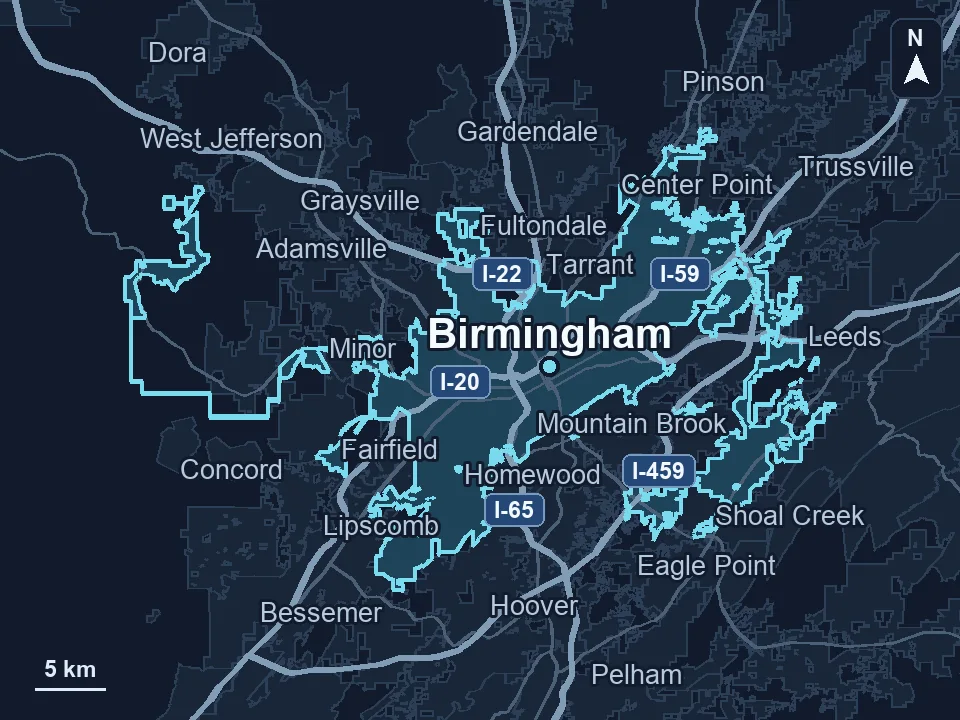
Serving businesses in Birmingham
Zenogram serves Birmingham from our Hoover office. See the Birmingham service area and map.
Ready to review a technical SEO issue in Birmingham?
Send the URLs you’re concerned about, any recent website changes, and what you see in Search Console.