WordPress Development in Birmingham, AL
When your WordPress site needs a new feature, start with what your team needs to publish or what customers need to do. From our Hoover office, Zenogram helps Birmingham businesses extend existing sites with custom plugins, integrations, and reusable templates, then test changes before they go live.
What Birmingham WordPress development covers
Custom plugins and features
Build a feature around the task your site needs to support and document where your team can manage it.
Forms and integrations
Connect an existing form, booking tool, or CRM and verify that the right details arrive with the right team.
Explore Workflow AutomationReusable WordPress templates
Build repeatable layouts with editable fields for the information that changes from one page to another.
Updates and compatibility
Review WordPress, theme, and plugin versions before changing a feature on an active site.
Explore Website MaintenanceStaging and release checks
Test changes on a copy of the site where available. Check that the key customer actions still work before deployment.
Editor handoff
Show staff which fields, templates, and settings they can update and document how to check the feature after publishing.
How we work
Listen
Tell us which services you want to grow, who you serve and what is getting in the way.
Prioritize
We review what you already have and agree on which changes are worth making first.
Build and review
We build the agreed work, review it with you and check the steps customers will use.
Choose a change that fits the site you have
A Birmingham business may need a booking form to send the right details, a page layout staff can reuse, or a feature that serves several locations. Review the theme, page builder, and plugins to find the simplest way to support that work.
- Review the current setup. Check the theme, page builder, plugins, hosting, and access relevant to the change.
- Choose where the feature should live. Consider what an existing tool can handle and use custom development where it gives your team the control it needs.
- Agree what success looks like. Write down who will edit the feature, what the visitor should see, and what happens if an integration is unavailable.
A reusable WordPress weather widget in Birmingham
Zenogram built a private weather plugin and a reusable Elementor widget for Tsunami Pressure Washing. The Birmingham page uses it to show local conditions. A city registry, editor overrides, and cached readings let the same feature serve multiple location pages while giving editors control over city-specific settings.
Test the update and show your team how to use it
Before release, check the affected pages and the editor workflow. For a booking or inquiry feature, test what customers see and confirm where a test submission arrives. For ongoing updates and recovery planning, see website maintenance in Birmingham.
- Check the feature on a copy when possible. Use a staging environment to review the changed templates, plugin behavior, and mobile layout.
- Plan how to recover if something fails. Confirm the backup or restore path and agree when to deploy updates that affect forms or bookings.
- Leave a clear handoff. Show editors what they can change, where to find settings, and what to check after a future update.
Frequently Asked Questions
Can you work on our existing WordPress website?
Yes. We start by reviewing the platform, hosting, plugins, and access to understand which changes fit the existing site.
When is a custom plugin worth building?
A custom plugin can make sense when available tools cannot handle the workflow cleanly or when the same feature needs to work across several pages. We review those options before recommending a build.
Can you connect our booking system or CRM?
We can review how your current tools accept data, which fields need to carry over, and how to verify that a request reaches the right destination.
Will we be able to edit the new pages ourselves?
We plan which content your team should be able to edit and show staff how to use the relevant templates, fields, or settings.
How do you test changes before they go live?
Where staging is available, we test there first. We check the changed pages on mobile, exercise the main customer actions, and agree on how to restore the previous version if needed.
What should we send for a WordPress development review?
Share the website address, the feature or problem you want to address, and the tools involved. Describe what a customer or editor should be able to do when the work is complete.
Serving businesses in Birmingham
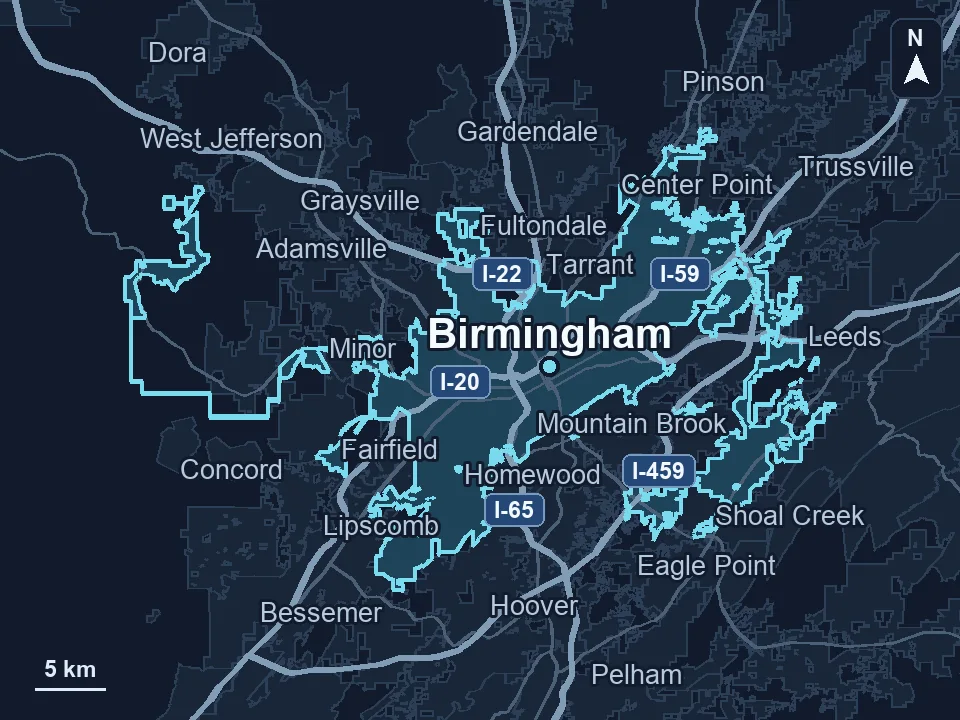
Zenogram serves Birmingham from our Hoover office. See the Birmingham service area and map.
Ready to improve your Birmingham WordPress site?
Tell us what your site does today and what you want customers or editors to be able to do next.