Workflow Automation in Birmingham, AL
Zenogram helps Birmingham businesses automate repeatable steps from our Hoover office. We start with what happens after an inquiry arrives, then connect the tools your team uses to assign the request, update the customer record, and follow up.
What Birmingham workflow automation covers
Inquiry intake and routing
Send requests to the right person by service, ZIP code, or urgency. Give requests with missing details a clear place for review.
CRM updates
Map the fields you need and agree when a workflow should create a new record or update an existing one.
Follow-up reminders
Assign an owner and due date. Set a reminder or backup assignment when a request is still waiting.
Tool integrations
Review which connections your form, inbox, CRM, or scheduling tool supports before agreeing on what to build.
Approvals and exceptions
Give staff a way to review unusual requests, approve sensitive changes, and take over when a step needs judgment.
Testing and handoff
Test sample requests, check that records reach the right place, and document what staff should do if a step fails.
How we work
Listen
Tell us which services you want to grow, who you serve and what is getting in the way.
Prioritize
We review what you already have and agree on which changes are worth making first.
Build and review
We build the agreed work, review it with you and check the steps customers will use.
Give every inquiry an owner and a next step
A Birmingham service business may get repair calls, quote forms, and requests outside its coverage area on the same day. Start with one kind of inquiry and define who receives it, which details get recorded, and what happens when no one responds.
- Map the current process. Start where a request comes in and trace it until someone replies or marks it closed.
- Choose the routing rules. Agree which service details, ZIP codes, or urgency levels determine who receives a request.
- Make the status visible. Use a short set of statuses your team can recognize and use during follow-up.
How Town Favorite makes approvals visible
The Town Favorite Customer Portal brings order activity and artwork approval status into one dashboard. It shows how making the current status visible can help a team and its customers see which step comes next.
Test the workflow with real examples
Use sample inquiries that reflect the work your team sees. Include a duplicate contact, a missing field, and a request outside your service area.
- Check what reaches the CRM. Verify the mapped fields and confirm that a repeated submission updates the right record.
- Check where exceptions go. Make sure staff can see the original request and know what to do when a connection fails.
- Agree who owns the process. Document who reviews exceptions, updates rules, and checks that follow-up tasks are getting done.
Frequently Asked Questions
Can you work with the CRM we already use?
We review its supported connections, available access, and current fields. Then we agree what the workflow can create or update.
Can inquiries go to different people by service or ZIP code?
Yes, when the request includes the needed details. We agree on routing rules and who should review requests that don’t match.
What happens if the same person submits twice?
We define how to match existing records and which information to update. We test duplicate submissions before the workflow goes live.
Can the workflow remind us to follow up?
Yes. We can help set up reminders around an assigned owner, a due date, and the status your team uses to mark follow-up complete.
Can staff approve a step before it continues?
Yes, where the selected tools support it. We agree who reviews the step and what happens when approval is delayed or declined.
What should we bring to the first conversation?
Share the tools you use, a sample inquiry with customer details removed, and the step that takes the most manual effort.
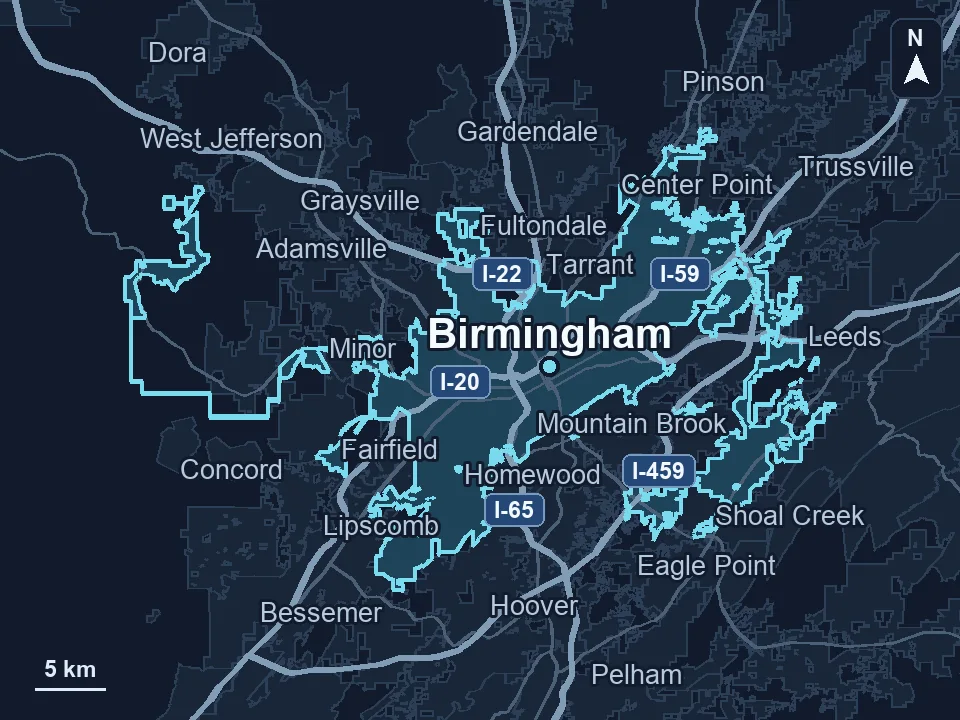
Serving businesses in Birmingham
Zenogram serves Birmingham from our Hoover office. See the Birmingham service area and map.
Ready to improve a Birmingham business workflow?
Tell us where inquiries come in, which tools your team uses, and what should happen when a request arrives.