Website Design in Chelsea, AL
A Chelsea homeowner should be able to see what your crew does, where it works and what to send for an estimate. Zenogram designs websites that answer those questions on the service page and give customers a clear next step.

Make it easier to ask for the right kind of estimate
Pages by job type
Show what each service includes and which jobs your crew can take on. Add project photos where they help explain the work.
Explore Website DesignService-area details
Give people a useful way to check an address when coverage changes by town, route or job type.
Explore Local SEOA short quote request
Ask for the job type and location first. Include a photo or project note only when it helps your team reply.
Explore Lead GenerationPhone-friendly service pages
Let a customer read about the job and find the estimate button without working through a desktop menu.
Explore Website DesignStaff editing
Set up page sections that the owner can update when a service, photo or coverage area changes.
Explore WordPress DevelopmentRedirects at launch
Check the pages customers already use and map addresses that will move.
Explore Website Maintenance
How we work
Listen
Tell us which services you want to grow, who you serve and what is getting in the way.
Prioritize
We review what you already have and agree on which changes are worth making first.
Build and review
We build the agreed work, review it with you and check the steps customers will use.
Give customers along Highway 280 a clear path
Chelsea’s economic development page places the city on U.S. Highway 280 southeast of Birmingham. A storefront can use a clear address and directions. A crew traveling to a customer can explain the jobs it takes and what it needs to check the address.
- Separate visiting from requesting service. Show the public entrance for walk-ins and offer an address check for jobs at the customer’s property.
- Show the work before the form. Use brief project explanations and approved photos to set expectations.
- Put the next step beside the service. Start a quote request with the service already selected when your form supports it.
APS Charlotte Website
The APS Charlotte exterior-cleaning website explains window cleaning, gutter cleaning and pressure washing and includes a quote action.
A Chelsea crew can apply that structure by putting job details, approved examples and the estimate link on the same service page.
Walk through a quote on a phone
Pick an actual service. Open its page, check coverage, and give a team member the same example request a homeowner would send.
- Check the information you collect. Keep fields your team uses to schedule, estimate or ask a follow-up.
- Confirm where it goes. Route the request to the inbox or system your team checks.
- Read the confirmation. Tell the customer what happens next and give them a way to reach you with a change.
Frequently Asked Questions
Can a Chelsea service website include the towns we cover?
Yes. List the areas where you accept the job, and explain service or distance limits that change the estimate.
Can a customer attach a photo?
We can review your intake tool and determine whether adding a photo helps your team estimate the work.
Do we need a separate form for every service?
Usually a short shared form can carry the chosen service. A different form helps when the team needs substantially different details for the job.
Can staff replace old project photos?
We can give editors a place to update approved photos, captions and the services those photos illustrate.
Can we keep a phone number beside the form?
Yes. Use a tappable number and tell customers when calling is the better way to handle an urgent or complicated request.
What should I bring to a design discussion?
Send your current site, the job types you most want to book, actual service areas and a copy of your current estimate form.
Serving businesses in Chelsea
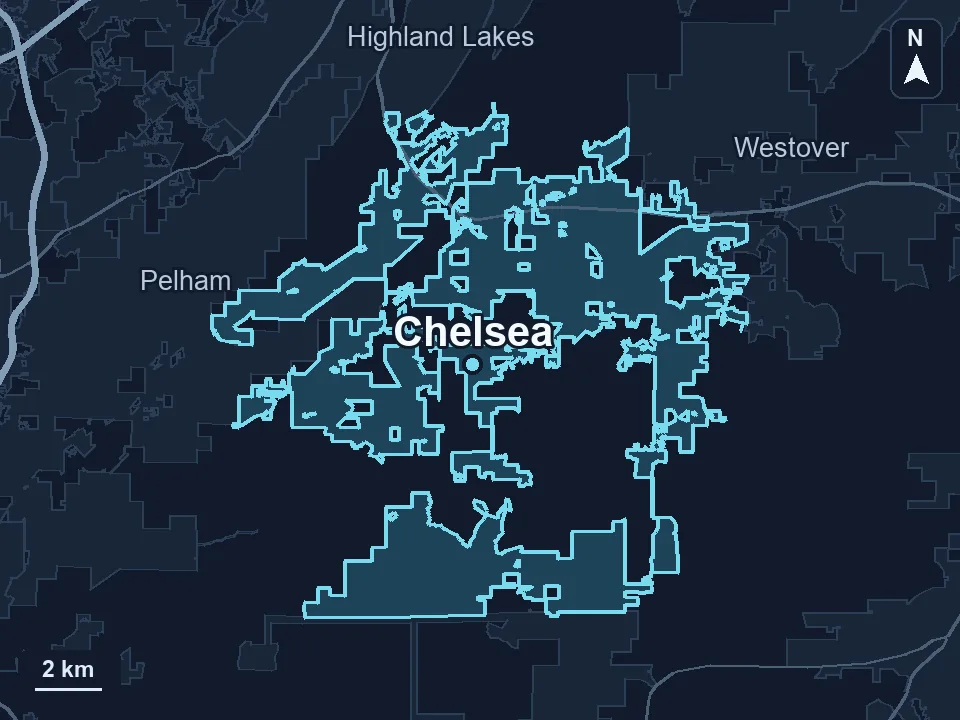
Zenogram serves Chelsea from our Hoover office. See the Chelsea service area and map.
Plan your Chelsea website
Tell us which jobs you want more of, where you take them and what a customer should send before your team prepares a quote.