Website Design in Hueytown, AL
A customer checking your Hueytown shop on a phone should know whether they can book maintenance, how to ask about a problem and where to drop off a vehicle or item. Zenogram designs websites around those first decisions and the staff who handle them.
Build the site around check-in and drop-off
Separate maintenance from diagnosis
Give scheduled work and problems that need an inspection their own instructions.
Explore Website DesignTell customers where to drop off
Show the address, entrance and check-in process on the page customers use to book.
Explore Local SEOSet expectations for the next reply
Explain what happens after a booking request and how staff will confirm a time.
Explore Lead GenerationMake call and booking options easy to use
Give someone on a phone a visible path to either request a time or talk to the desk.
Explore Website DesignMake shop details easy for staff to change
Give staff a simple way to edit the hours, booking link or instructions they use every day.
Explore WordPress DevelopmentCheck links when the schedule changes
Review the booking and contact paths when hours change or a service is paused.
Explore Website Maintenance
How we work
Listen
Tell us which services you want to grow, who you serve and what is getting in the way.
Prioritize
We review what you already have and agree on which changes are worth making first.
Build and review
We build the agreed work, review it with you and check the steps customers will use.
Help first-time customers find the right check-in
The Hueytown Chamber of Commerce describes Allison-Bonnett Memorial Drive as a gateway to the city. A repair shop serving customers from that route can put the street address and the right entrance alongside its service and drop-off instructions. A clear check-in page gives someone a place to confirm the details before leaving home.
- Give different jobs their own paths. Make routine service easy to request and explain how staff handle work that needs a diagnosis.
- Use an entrance photo if it helps. Show the check-in door or customer parking when a street address alone leaves people guessing.
- Explain after-hours service only if you offer it. Say where to leave an item or keys and when the customer should expect a reply.
Custom Windows Near Me
Custom Windows Near Me shows separate paths for installation, replacement and repair, with consultation calls to action.
A Hueytown shop can use that service structure to explain which requests go straight to booking and which need a conversation first.
Walk through a booking from a customer’s phone
Start on a repair page and try to get from the service description to the correct request, then check what the desk would see.
- Check which details staff receive. Ask for a concise description and callback details that are useful before the inspection.
- Make confirmation clear. Tell customers when a requested time becomes a confirmed appointment.
- Check the arrival link from the booking page. Open the directions and make sure the instructions match the check-in the customer will use.
Frequently Asked Questions
Can customers book routine work and ask about a repair separately?
Yes. We can plan separate pages or actions based on whether your staff can schedule the work right away or needs to inspect it first.
Can we keep using our scheduling software?
We can review its embed or link options and make sure the handoff explains what the customer needs to do.
Where should we explain drop-off instructions?
Put them on the contact or visit page and link to them from the booking path. Keep any special instructions current.
What if our appointments change through the week?
Point to the system your staff updates. Use the site to explain when a request is confirmed.
Can we show pictures of the shop entrance?
Yes. Use current photos that help visitors find parking, check-in or the appropriate service entrance.
What should we share before design starts?
Send the jobs you want to promote, your booking link and the arrival questions your desk answers most often.
Serving businesses in Hueytown
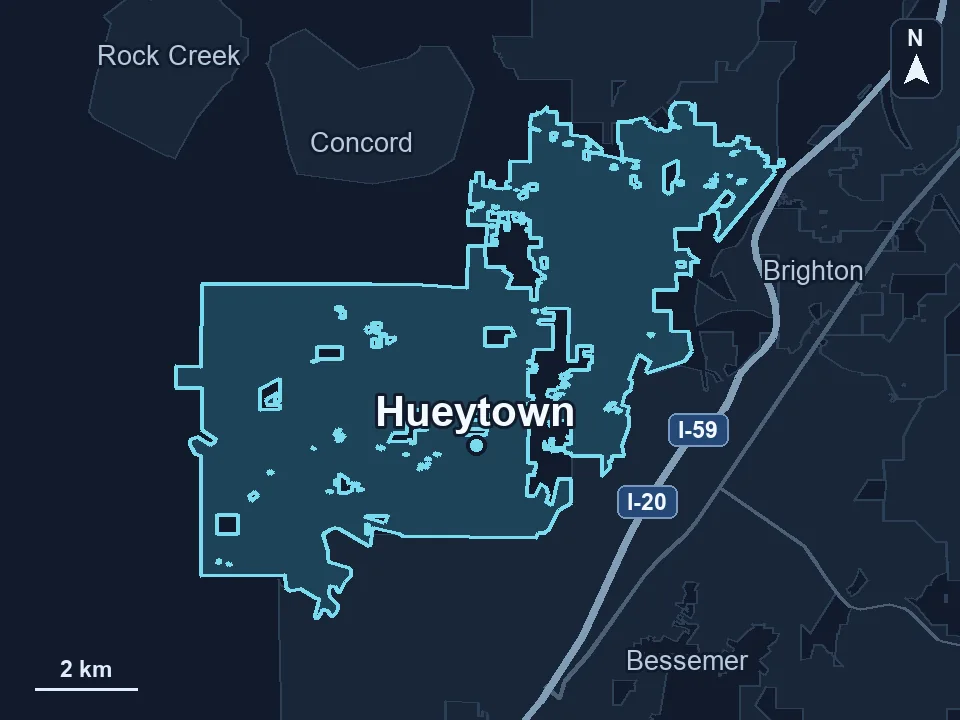
Zenogram serves Hueytown from our Hoover office. See the Hueytown service area and map.
Plan your Hueytown shop website
Tell us what customers can schedule, how you handle repair questions and what a first visit looks like.