SEO Services in Leeds, AL
A customer searching in Leeds may want directions to a business or confirmation that a crew can serve their address. Zenogram helps Leeds businesses organize search pages so each visitor finds service details and a clear answer about coverage.


Match Leeds searches to useful service and coverage pages
Separate service questions from location questions
Explain the job on the service page and give visitors a clear place to check coverage or get directions.
Explore SEOReview similar city and county URLs
Inspect pages that repeat the same coverage details and compare which address Google uses for search.
Explore Technical SEOLink to the practical next step
Let a visitor check an address, request service or find the right entrance from the page they reach.
Explore Lead Generation
How we work
Listen
Tell us which services you want to grow, who you serve and what is getting in the way.
Prioritize
We review what you already have and agree on which changes are worth making first.
Build and review
We build the agreed work, review it with you and check the steps customers will use.
Explain actual service coverage across county lines
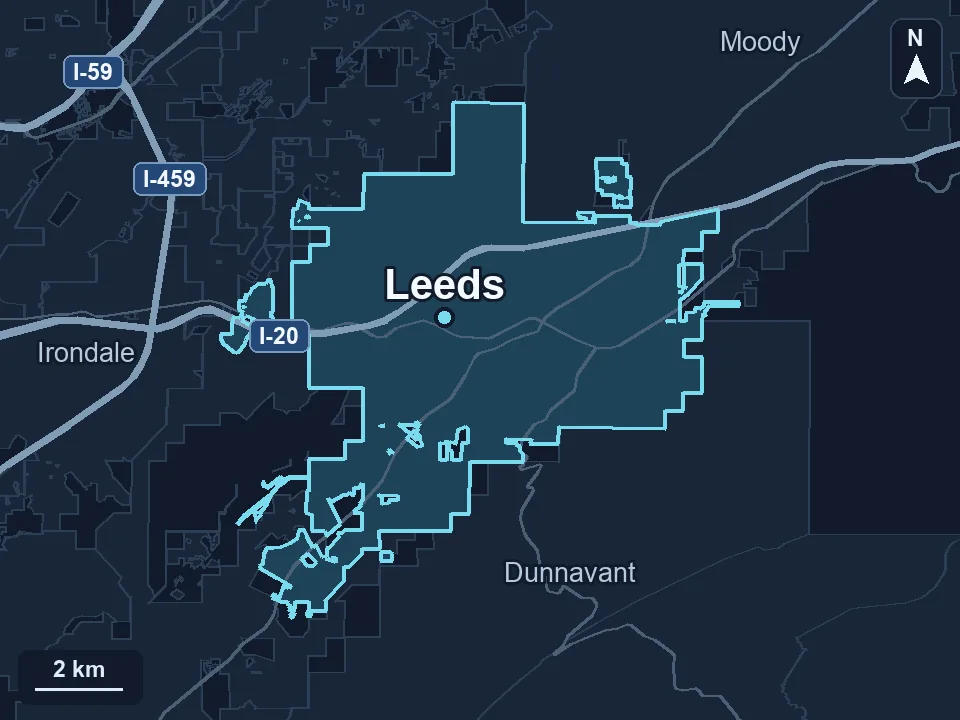
Atlas Alabama identifies Leeds as a city spanning Jefferson, Shelby and St. Clair counties. If you serve some Leeds addresses and also travel to nearby communities, describe which jobs you take and how people can confirm coverage. A county name is useful when it helps customers make that decision.
- Use one useful answer for overlapping areas. Group locations on the same page when the business offers the same service and instructions.
- Give a dedicated page a specific job. Use separate pages where the jobs, visit details or estimate process materially differ.
- Check what a visitor can confirm. Offer a way to check an address or scope when your service boundary is hard to describe in a list.
See which page Google shows for the searches you care about
Look at a search for the service plus Leeds and inspect the URL that appears. Compare its service, coverage and links with other pages targeting the same job or area.
- Review how similar pages are indexed. Check canonical URLs and follow the internal links that send customers to each page.
- Choose the page that can answer the question. Add accurate coverage details and test the path to an address check or inquiry.
Frequently Asked Questions
Do I need three county pages to serve customers in Leeds?
A single useful page can explain actual coverage across county lines. Consider a dedicated page when it provides details that genuinely differ for that area.
Can we keep one Leeds service page for several ZIP codes?
Yes. Explain the jobs and areas you actually cover and show how customers can verify an individual address.
What should we send for the audit?
Share the service pages, city or county URLs, and an example of the search or coverage question that customers struggle with.
Serving businesses in Leeds
Zenogram serves Leeds from our Hoover office. See the Leeds service area and map.
Request a Leeds SEO audit
Share the services and areas you want customers to find, along with any competing city or county pages on your site.