Local SEO in Mountain Brook, AL
A shopper looking for you in Crestline Village needs to get to the right door. Zenogram helps Mountain Brook businesses connect their Google Business Profile, local listings and website so customers can find the location, services and hours they’re looking for.


Help customers find the right location
Google Business Profile review
Check the category, phone number, hours and website link for each eligible location.
Explore Local SEOBusiness listings
Find directories that still show an old address or send customers to the wrong location page.
Explore Business Listing ServicesPages for real locations
Give each storefront its own hours, directions and booking or pickup information when those details differ.
Explore Website DesignMap pin and entrance
Compare the pin and walking directions with the entrance customers actually use.
Explore Local SEOLocation-specific actions
Send people to the right appointment or pickup option after they choose a shop.
Explore Lead GenerationSearch and calls
Review available profile actions alongside the location pages and inquiries your team can track.
Explore SEO
How we work
Listen
Tell us which services you want to grow, who you serve and what is getting in the way.
Prioritize
We review what you already have and agree on which changes are worth making first.
Build and review
We build the agreed work, review it with you and check the steps customers will use.
Connect each shop to the village customers know
Atlas Alabama lists Crestline, English and Mountain Brook among the city’s shopping villages. Use the village name alongside a real address where it helps customers choose the right place. A service business that goes to customers can describe where it works on its site and use an accurate service area on its Business Profile.
- Match the destination to the listing. Point a storefront’s profile to the page for that storefront.
- Check hours by address. Publish closure or pickup changes where customers look before making a trip.
- Check the mobile result. Open the listing, tap directions, and confirm the link gets a new visitor to the right location.
What to check when a customer lands at the wrong shop
Start with your Business Profile and the website page it opens. Compare the name, address and usual customer action to the other listings that describe the same location.
- Send the profiles and location URLs. Include an example of a customer reaching the wrong shop or booking page if you have one.
- Fix the details customers use first. Prioritize the pin, suite, phone number, and working location link.
- Review results by location. Look at direction requests and bookings for each place when the data is available.
Frequently Asked Questions
Can two Mountain Brook shops use the same website?
Yes. Give each shop a page with its own address, hours, directions and actions. Review each location’s eligibility before managing separate profiles.
Can we mention a village on our site if we work there?
Yes, if the reference helps explain your real coverage or location. A service-area page can explain the jobs you take there and how to check an address.
Which listing problems should we address first?
Start with details that can send people to the wrong place or make them give up, such as an outdated pin, wrong hours or a broken booking link.
What do you need for the free audit?
Send your website, Business Profile links and the locations or services you want reviewed.
Serving businesses in Mountain Brook
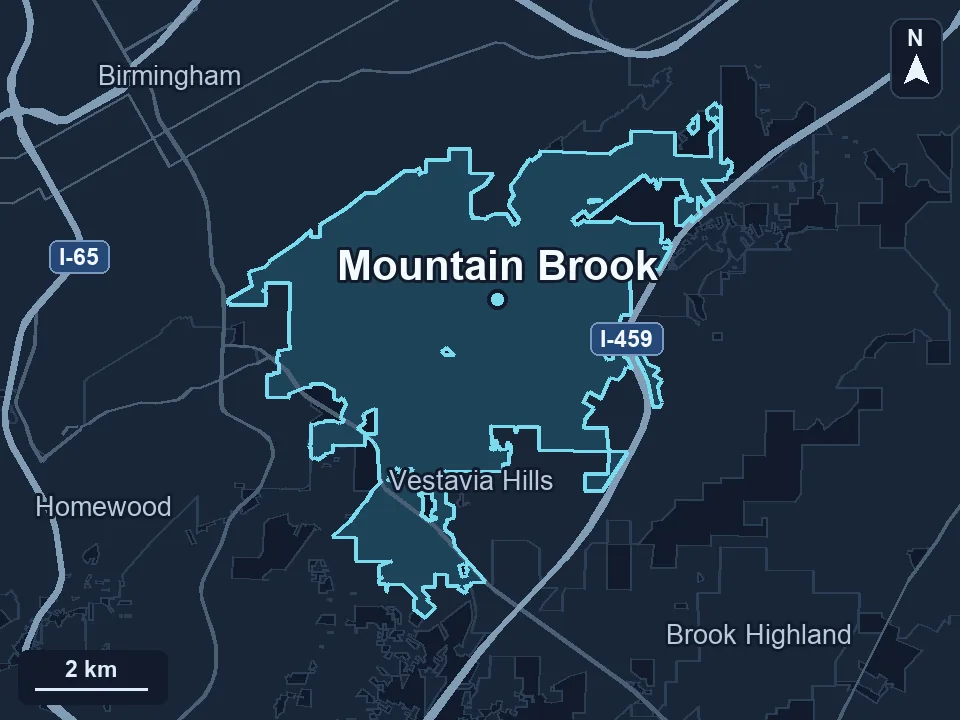
Zenogram serves Mountain Brook from our Hoover office. See the Mountain Brook service area and map.
Request a Mountain Brook local SEO audit
Send your Business Profile and location pages. Tell us which shop, service or customer action you want people to find.