Local SEO for Vestavia Hills businesses
A customer who finds you in local search should be able to tell whether to visit, make an appointment or request a service call. Zenogram reviews the path from Google Maps and search to your website and inquiry options. We work with Vestavia Hills businesses from our Hoover office.


Check your Business Profile and website together
Business Profile accuracy
Check the public address, hours and website link against what customers see when they plan a visit.
Explore Business Listing ServicesService-area coverage
For businesses that travel to customers, compare the areas listed in the profile with where the website says you work.
Explore Local SEOFrom search to inquiry
Check that the profile leads to a page with a clear next step. Agree on which corrections to tackle first and how to review progress.
Explore Lead GenerationLocal landing pages
Give search visitors a page with the service, address or coverage, and the next step they expected to find.
Explore Website DesignListing consistency
Check key public listings for outdated hours, phone numbers, and links that point to old pages.
Explore Business Listing ServicesSearch and inquiry review
Compare changes in local search visibility with calls or forms your team can review separately.
Explore Technical SEO
How we work
Listen
Tell us which services you want to grow, who you serve and what is getting in the way.
Prioritize
We review what you already have and agree on which changes are worth making first.
Build and review
We build the agreed work, review it with you and check the steps customers will use.
Use district names that help people reach you
Vestavia Hills identifies Rocky Ridge, City Center on Highway 31 and Cahaba Heights as distinct districts. Use a district name on the website when it helps customers identify a real location or understand where you work. A contractor can describe jobs available in the area and link to the relevant service page. A storefront can pair an accurate address and hours with the details visitors need for that specific location. Check Google’s eligibility requirements before adding any additional Business Profile.
- Keep address and hours accurate. Check the details customers see on Google Maps against the site.
- Describe how you serve customers. Give directions for a real storefront or explain how people can confirm coverage for a service call.
- Send people to a useful page. Make the service and booking or quote option easy to find after the click.
How the Tsunami project handles service areas
Vestavia Hills is one of the cities configured in the private WordPress weather plugin Zenogram built for Tsunami Pressure Washing. The exterior-cleaning site uses its service-area pages to explain where it works and how to ask for a quote. The case study shows the Birmingham implementation and separately records dated search observations from Hoover.
Turn the audit into a short list of fixes
We start with the profile and pages your customers already see. Then we agree which corrections or improvements are worth making first.
- List the services and locations to review. Include a link to your Business Profile and the main pages customers use.
- Prioritize information customers rely on. Start with errors in hours, coverage, contact details, or booking links.
- Review search and inquiries separately. Use the available data to see where people found you and what requests reached your team.
Frequently Asked Questions
Can a service-area business get help without a storefront?
Yes. Tell us where you operate, whether customers visit your location and which jobs you accept. We can review how the profile and website represent that setup and identify which information customers still need.
What should I include in an audit request?
Send your website, the services and areas you want reviewed, and a link to your Business Profile if you have one. The form selects SEO. Mention Vestavia Hills or your coverage question in the message so we can discuss the scope.
Can you help if my Business Profile has outdated hours or a broken website link?
We can compare the profile with your current public details and identify the changes to make. Profile edits require the appropriate access.
How should I show more than one Vestavia Hills location?
Give each real location its own address, hours, and next step. We can review how those details appear across your website and any eligible profiles.
Can you review whether calls or forms are reaching us?
Yes. Tell us which contact options you use and where the requests go. We can review the path and discuss what to track alongside local search visibility.
Where is Zenogram based for Vestavia Hills projects?
Zenogram works with Vestavia Hills businesses from its Hoover office. Include the location or service area you want reviewed when you get in touch.
Serving businesses in Vestavia Hills
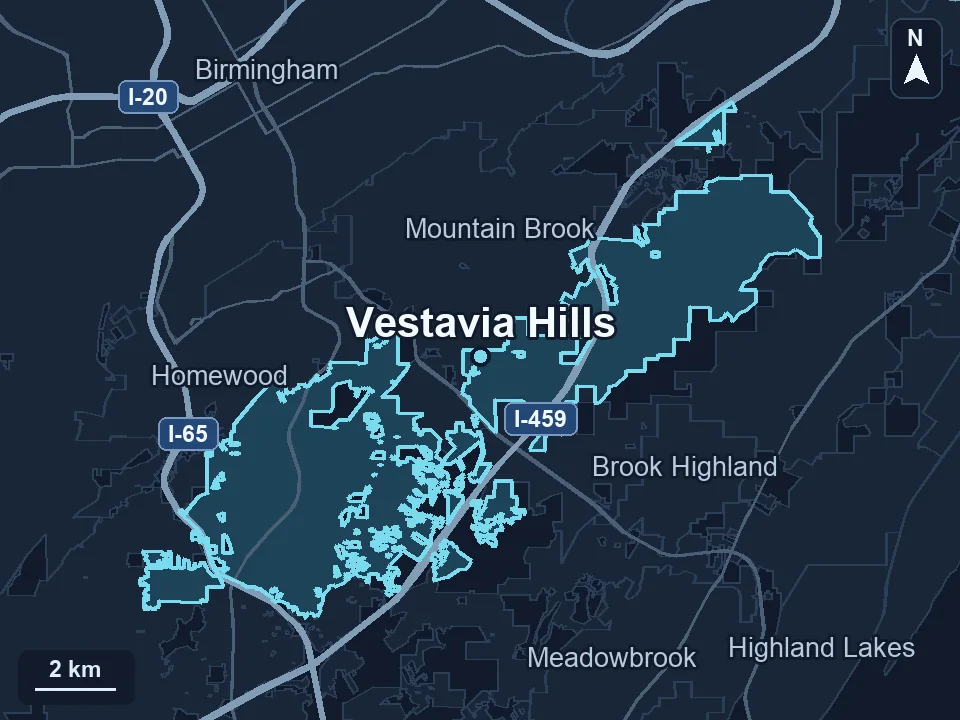
Zenogram serves Vestavia Hills from our Hoover office. See the Vestavia Hills service area and map.
Ready to review your Vestavia Hills local search presence?
Send your website, your Business Profile if you have one, and the services or areas you want to review. We’ll discuss where to start.