Marketing and local SEO for Birmingham HVAC companies
Someone with a failed air conditioner needs a different next step from someone planning a system replacement. From our Hoover office, Zenogram helps Birmingham HVAC companies organize those services, show where they work and make it easier to request help.
Marketing services for Birmingham HVAC companies
Local SEO
Align your Business Profile and website around your actual service areas and the heating and cooling work you handle.
Explore Local SEOWebsite Design
Give repair, maintenance and replacement distinct pages with the information and contact options customers need.
Explore Website DesignLead Generation
Collect the service address, system issue and timing so your team can decide how to follow up.
Explore Lead GenerationPaid Search
Connect ads for specific services to relevant pages and target the areas your team can cover.
Explore Paid SearchBusiness Listing Services
Review public contact information, hours and service details across business listings.
Explore Business Listing ServicesWorkflow Automation
Route incoming requests by service type and set follow-up steps that fit your dispatch process.
Explore Workflow Automation
How we work
Listen
Tell us which services you want to grow, who you serve and what is getting in the way.
Prioritize
We review what you already have and agree on which changes are worth making first.
Build and review
We build the agreed work, review it with you and check the steps customers will use.
Match each search to the right HVAC service
Help Birmingham customers check whether you serve their address and choose the right next step for the work they need.
- Urgent repairs. Put the dispatch number where mobile visitors can find it quickly. Say when the line is staffed and how you handle after-hours requests.
- Scheduled maintenance. Explain what a tune-up covers and let customers request a preferred appointment window.
- Replacement estimates. Describe what your team checks during an in-home assessment and how a homeowner can request one.
- Show where you dispatch. List the cities or ZIP codes your crews serve and keep coverage consistent across your website and Google Business Profile.
A Hoover-area field-service website example
The Fast Perc Test portfolio example shows how a Hoover-area soil-testing website explains coverage and offers online booking. An HVAC company can apply the same approach by putting coverage and the right contact option beside the service a customer needs.
See which HVAC inquiries turn into booked work
Compare call and form records with your dispatch log to see which inquiries lead to a booked visit or a replacement estimate.
- Collect the details dispatch needs. Ask for the service address, what the customer needs, and their preferred timing so your team can check coverage and route the request.
- Record where the request came from. Save the page with each form submission and the call source when available. If a customer submits a form and then calls about the same job, keep both under one inquiry.
- Review the outcomes each week. Match inquiries to dispatch records and count the repair or maintenance visits booked and the replacement estimates sent by service and source.
Frequently Asked Questions
Should HVAC repair, maintenance and replacement have separate pages?
Separate pages help when customers need different details and next steps. A repair page can explain how to reach dispatch, while a replacement page can describe the assessment and estimate process.
How should an HVAC company show its service area on Google?
Use the cities or postal codes your team actually serves. Review your Business Profile settings for your business type and make the same coverage easy to find on your website.
How can we handle seasonal demand on the website?
Update availability and phone guidance when schedules change. Give urgent service requests and planned maintenance distinct paths that fit your team’s capacity.
What should an HVAC service-request form ask for?
Start with contact information, the service address, the issue and preferred timing. Ask for equipment details only when they help your team follow up.
Can you improve the HVAC website we already have?
Yes. We can review the service pages and inquiry paths customers use today, then prioritize changes that fit your current website and tools.
What should I send for a Birmingham HVAC SEO audit?
Send your website and Business Profile link, the services you want to prioritize, and the areas you currently serve. Mention any calls or forms your team has trouble following up on.
Serving businesses in Birmingham
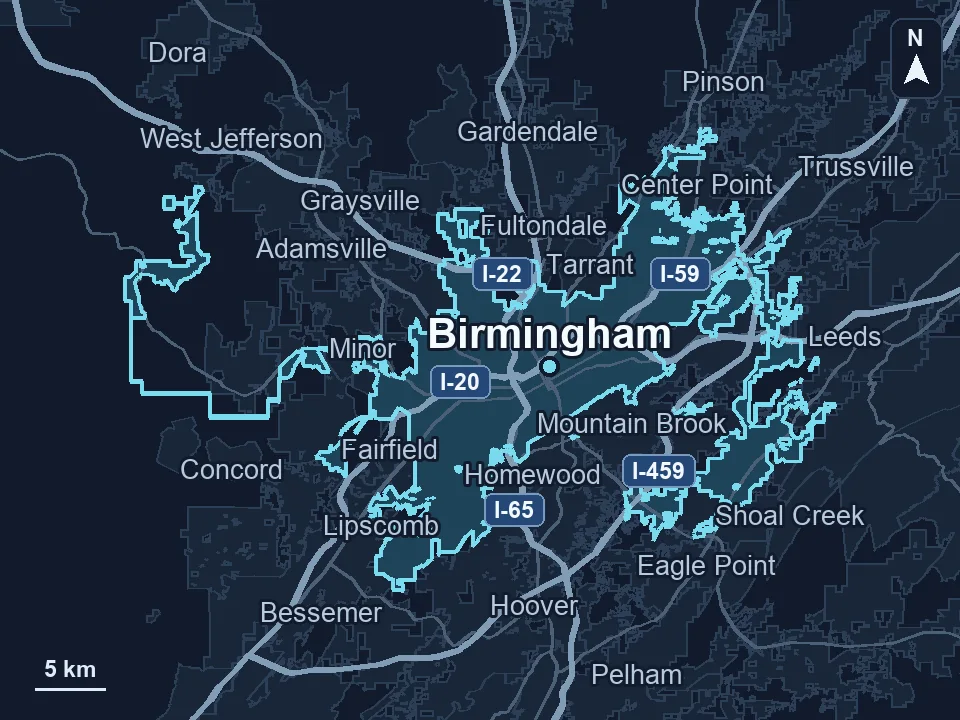
Zenogram serves Birmingham from our Hoover office. See the Birmingham service area and map.
Discuss marketing for your HVAC business
Tell us how customers find you today and what you’d like to improve about the way requests reach your team.
Request a free SEO audit