Website Design for Birmingham Pool Service Companies
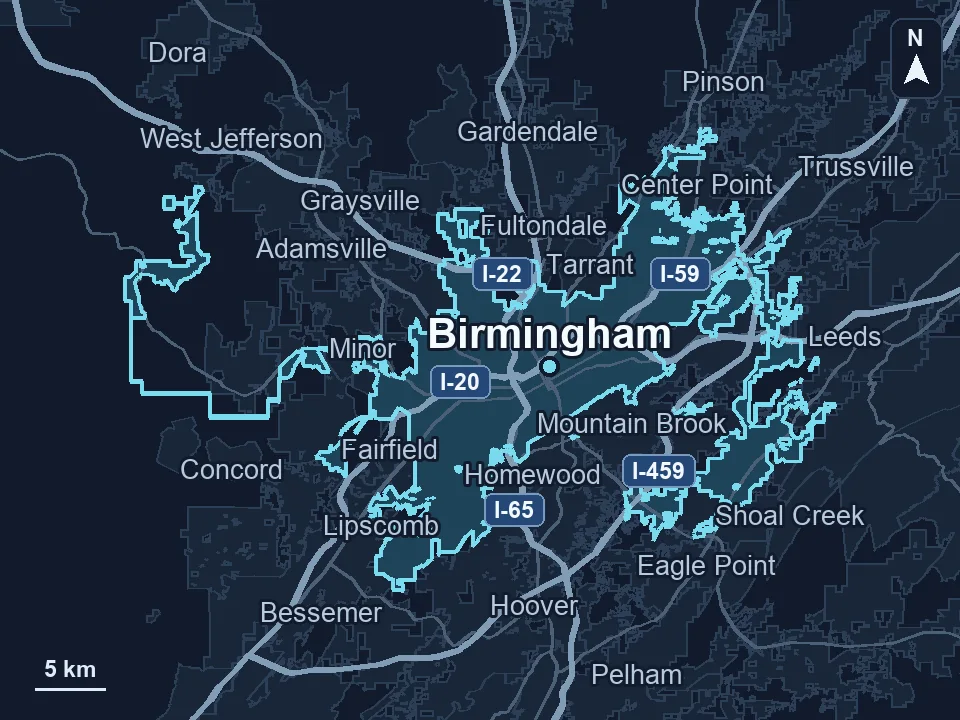
Zenogram designs websites that help Birmingham pool customers choose weekly service, equipment repair or seasonal work. Show where your team travels and give each type of request an appropriate next step. Zenogram serves Birmingham from our Hoover office.
What the website project covers
Start with the information customers need to make a decision, then test the route to their next step.
Service comparison
Help customers choose between recurring care, equipment work and seasonal options.
Coverage display
Show route and repair availability in a form that is easy to update.
Plan details
Explain visit frequency, inclusions and how to ask about extras.
Repair intake
Ask for the issue and optional equipment details that help scheduling.
Mobile and keyboard checks
Verify phone links, form labels and confirmation messages.
Staff editing
Make common service and schedule changes easy for your staff to manage.
How we work
Listen
Tell us which services you want to grow, who you serve and what is getting in the way.
Prioritize
We review what you already have and agree on which changes are worth making first.
Build and review
We build the agreed work, review it with you and check the steps customers will use.
Make maintenance plans and repair visits easy to compare
Customers should understand what happens on a typical visit and which requests need a technician or estimate.
- Explain what routine care includes. Describe visit frequency and common inclusions using terms a new pool owner can understand.
- Show which equipment you can service. Use a repair page to explain what your technicians handle and what information they need before scheduling.
- Make seasonal options easy to find. List the services you actually offer and tell visitors when they can ask about available dates.
How Tech Gas Solutions explains coverage by location
Tech Gas Solutions organizes services by location on its industrial-supply website. A Birmingham pool website can use a similar layout to show weekly route coverage and give a one-time repair visitor a different request option.
Collect the details needed to check a route or schedule a visit
Keep inquiry forms short and let customers add photos or model numbers when those details will help your staff.
- Ask where the pool is located. A ZIP code or service address helps your staff check routes before setting up a conversation.
- Capture the job type clearly. Send maintenance requests to the person planning routes and repair requests to the scheduler who handles technicians.
- Set expectations after submission. Explain who will review the request and how the visitor can follow up if their timing changes.
Frequently Asked Questions
Can the website show route availability?
Yes. Choose a format that your scheduler can keep accurate as openings and coverage change.
Should a repair form require a model number?
Only if you need it before responding. Many customers can describe the issue before they find a model label.
Can people request weekly service online?
Yes. The form can collect the address and send a route-check request to your staff.
Can we show prices or package details?
Show what your team is comfortable publishing and explain what depends on the pool or service area.
What if repair and maintenance go to different people?
Use service selection to send each request to the right inbox or scheduler.
What should I share to start design?
Bring your service list, route boundaries, scheduling tools and questions your staff asks on a first call.
Serving businesses in Birmingham
Zenogram serves Birmingham from our Hoover office. See the Birmingham service area and map.
Discuss your website project
Tell us what customers need to do on your website and what your team wants to improve.
Request a free SEO audit