Marketing for Birmingham Salons & Spas
Someone booking a first haircut, a color consultation, or a spa treatment needs to know which service to choose and who provides it. From our Hoover office, Zenogram helps Birmingham salons and spas connect search listings and service menus to the booking system their teams already use.
Marketing services for Birmingham salons and spas
Local SEO
Connect accurate hours, addresses, and service categories with the right location page and appointment link.
Explore Local SEOWebsite Design
Organize the service menu, provider profiles, and pricing information so first-time guests know what to book.
Explore Website DesignSocial Media Management
Show examples of your team’s work with permission and give people a direct link to the featured service.
Explore Social MediaContent Marketing
Answer questions about consultations, appointment lengths, and what to expect on a first visit.
Explore Content MarketingBusiness Listing Services
Find outdated phone numbers, office hours, and booking links across the directories your guests use.
Explore Business Listing ServicesLead Generation
Review where appointment requests come from and identify where people get stuck before they reach your booking calendar.
Explore Lead Generation
How we work
Listen
Tell us which services you want to grow, who you serve and what is getting in the way.
Prioritize
We review what you already have and agree on which changes are worth making first.
Build and review
We build the agreed work, review it with you and check the steps customers will use.
Help first-time guests choose a service and provider
A service menu should answer what the appointment includes, how long to allow, and whether to start with a consultation. Put that information next to the booking link so people can make a choice before they open the calendar.
- Describe what guests are booking. Explain what a service includes, give a typical duration when you can, and show current pricing or how to ask about a quote.
- Show which providers offer each service. Link to current provider profiles with their specialties, locations, and the services they take appointments for.
- Keep the listing’s booking link current. Test that the link opens the correct location and that guests can find the service or provider advertised.
How TownFavorite helps visitors compare options
TownFavorite’s direct-mail website for Birmingham-area businesses explains its postcard options and gives visitors a clear way to ask about availability. Salons and spas can use the same pattern by explaining services and provider specialties before sending guests to the booking calendar.
Make the handoff to your booking calendar easy to follow
Walk through a first appointment on a phone using the same links a guest sees on Maps, on your website, or in a social post. Check which location, provider, and service they reach.
- Use the shortest path your booking tool supports. Link to the right service or provider when the tool offers a direct link. If it opens a general calendar, explain what to select.
- Keep consultation and rescheduling instructions visible. Tell guests when to contact your team before booking and where existing guests should go to change an appointment.
- Compare booking activity with the requests you receive. Track clicks to the booking platform and use its completed appointment reports where available. Review which links sent visitors to the expected service or location.
Explore more marketing services
Frequently Asked Questions
Can Zenogram work with the booking platform we already use?
Yes. We can review its public links and test the path from your website or listings to the right location, provider, or service.
What should we include in a salon or spa service menu?
Use plain service names, explain what is included, and show duration, pricing guidance, and any consultation requirements the guest needs before booking.
Do we need separate booking links for each provider?
Use them when the calendar supports them and guests typically choose a provider first. Also give guests who choose by service a clear path to available providers.
How should we handle booking for two Birmingham-area locations?
Give each location its own hours, services, provider details, and calendar link. Check that each public listing links to the appropriate location.
How can we tell if a post or service page led to an appointment?
Use booking-link reporting and the appointment totals available in your scheduler. Check where your system can connect a source to a completed booking.
Where does Zenogram work with Birmingham salons and spas?
We serve Birmingham from our Hoover office. Tell us which location or services you want to promote and how guests book today.
Serving businesses in Birmingham
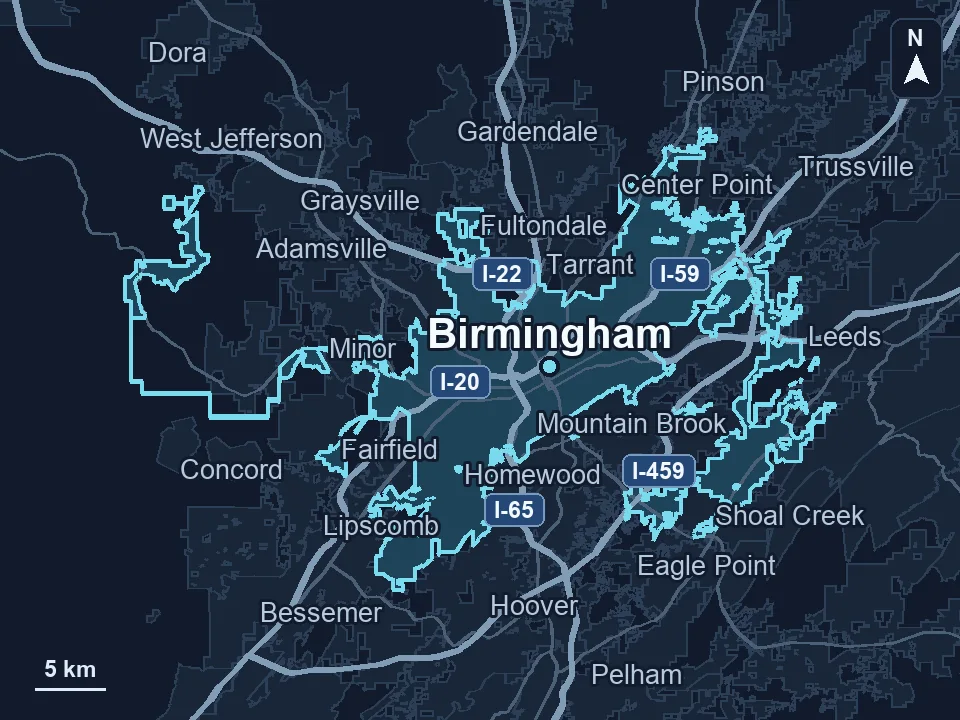
Zenogram serves Birmingham from our Hoover office. See the Birmingham service area and map.
Discuss marketing for your salon or spa
Tell us which appointments you want to fill, where you work, and which booking platform your team uses.
Request a free SEO audit