Local SEO in Chelsea, AL
“Do you come to my house?” is often the first question a mobile repair business has to answer. We check how your Chelsea business appears on Google Maps and what happens when someone tries to book a visit, from checking coverage to reaching the person who schedules the work.

Answer three questions before the service call
Do you travel to me?
We compare the areas on your Google Business Profile with the places your technicians serve. Someone finding you on Maps should be able to tell that you travel to customers.
Explore local SEODo you repair this item?
Does a leaking dishwasher belong on your schedule? What about a commercial ice machine? We check that the services on your listing match the jobs you accept and link to details a homeowner or shop manager can use.
Explore Chelsea SEOHow do I request a visit?
We follow the phone and booking links as a new customer would. If a call goes unanswered or a form asks for more information than dispatch uses, we flag the specific step to fix.
Explore Chelsea website design
How we work
Listen
Tell us which services you want to grow, who you serve and what is getting in the way.
Prioritize
We review what you already have and agree on which changes are worth making first.
Build and review
We build the agreed work, review it with you and check the steps customers will use.
Test a service request from the Chelsea 280 corridor
Chelsea’s city directory lists addresses on both Highway 280 and Old Highway 280. Suppose a customer on Old Highway 280 needs a mobile appliance repair. We follow that example from the Maps listing to the booking form and check whether dispatch gets enough information to decide if the trip fits the route.
- Check the job location. Start with the city or ZIP code and the street name. If the request could fit, confirm the full address privately before booking.
- Ask one useful repair question. An appliance type and model, with a short description of the problem, help dispatch check whether the technician works on that equipment. An optional photo can save a callback.
- Set an honest expectation. Serving an address and having an appointment today are separate decisions. Explain who confirms the visit and how the customer will hear back.
Keep a home base private and make coverage easy to find
Google has different address settings for a business that travels to every job and one that also receives customers on site. We start with where your team actually meets customers.
- Keep a private address off the public profile. If customers never visit your home office or dispatch base, remove the street address from the public profile and show the areas you serve.
- Choose supported service areas. Select cities, ZIP codes or other supported areas you regularly visit. Google’s profile editor does not use a custom mileage radius. We compare your selections against the routes dispatch accepts.
- Test the hours and booking link together. Call during a listed service window and try the booking page on a phone. Someone requesting help should learn when to expect a response, even if the next visit has to wait.
Frequently Asked Questions
Can we appear on Google Maps without showing our home address?
If you go to customers and never serve them at your business address, Google directs you to remove that address from the public profile and enter your service area. We review those settings and your public contact information.
Can we draw a mileage radius around Chelsea?
Google uses supported areas such as cities or ZIP codes for this setting. We help you choose the places you visit and explain any limits on your booking page so dispatch can confirm borderline addresses.
Does listing Chelsea mean we have to offer same-day appointments?
Your service area tells people where you can work. Publish your contact hours and explain how you confirm appointment times. Offer a same-day slot only once someone can assign the call.
Should we start with local SEO or website SEO?
Start here if callers cannot tell whether you visit their address or how to reach dispatch from Maps. Chelsea SEO services are a better fit when you want your website’s repair or service pages to answer more detailed searches.
Serving businesses in Chelsea
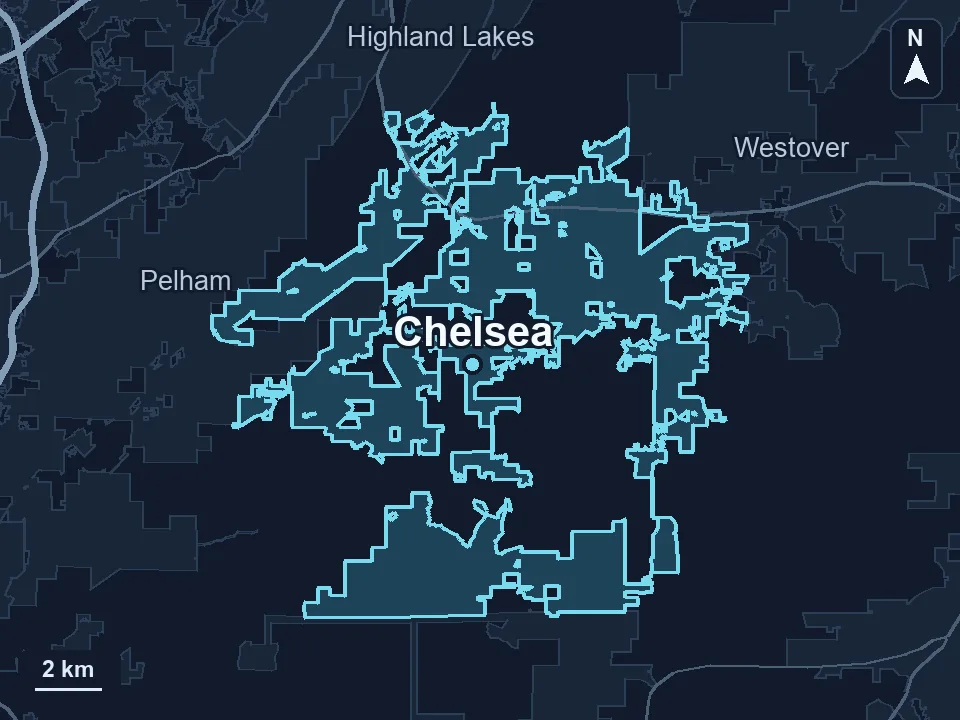
Zenogram serves Chelsea from our Hoover office. See the Chelsea service area and map.
Request a free Chelsea service-area SEO audit
Send your Google Business Profile, the communities you visit and one call your team frequently turns down. We’ll compare what customers see with what dispatch can book.