Local SEO in Fultondale, AL
A customer headed to your shop pulls off the highway and taps Directions. The listing sends them behind the building, where your delivery entrance faces another street. Zenogram checks what a nearby customer sees on Maps and how they get to the door, call, or request a visit.


Make the next step clear on Maps
Check the map pin and entrance
Compare the profile’s pin and directions with the entrance a customer uses. Check what a phone shows when someone starts from a different road.
Explain when a visit is possible
Compare public opening hours with the hours your team can check someone in. Put appointment or pickup instructions where customers can find them before driving over.
Show where your team travels
If you go to customers and have no public counter, review how the profile and website describe your real service area.
Explore Local SEO
How we work
Listen
Tell us which services you want to grow, who you serve and what is getting in the way.
Prioritize
We review what you already have and agree on which changes are worth making first.
Build and review
We build the agreed work, review it with you and check the steps customers will use.
Follow the directions someone sees from I-65 or US 31
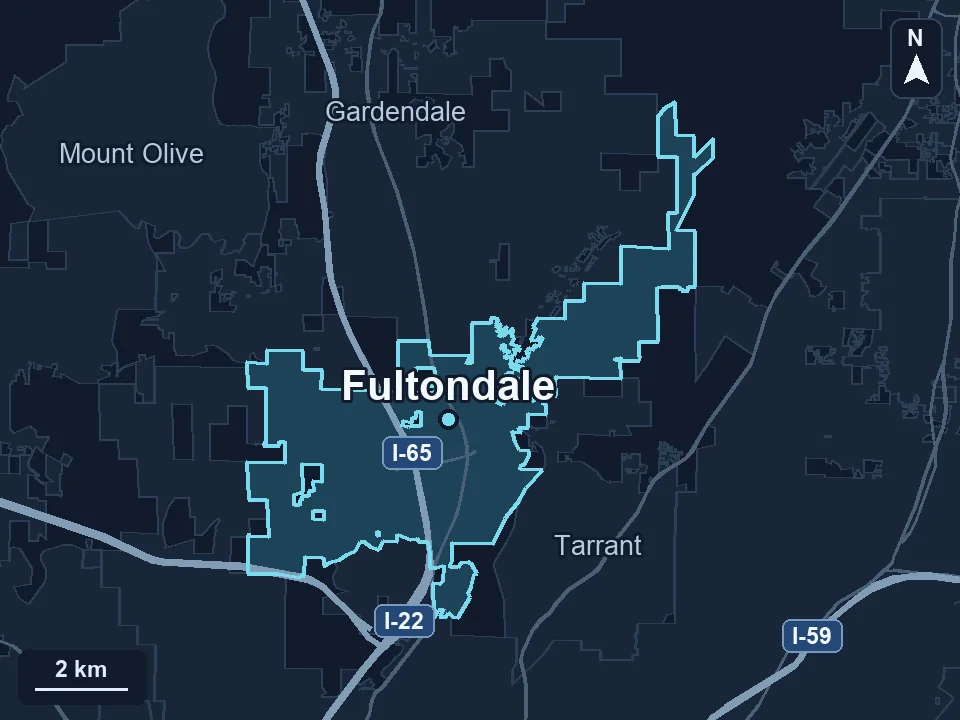
Fultondale identifies direct access to both I-65 and US Highway 31. Someone coming for a pickup should be able to use your Maps directions and spot the right entrance. A customer waiting at home needs a clear way to check whether you serve their address.
- Try the route on a phone. Start from either corridor and compare the suggested arrival point with the public entrance. If the address and pin are correct but the approach is confusing, add a short arrival note to the page linked from the profile.
- Use a recognizable entrance photo. An exterior photo that shows the storefront and its current sign helps a first-time visitor identify the right suite or door.
- Check the call or appointment path. Follow the profile link as a customer. Look for the address, hours, and how to confirm a pickup or appointment before leaving.
Decide what your profile should show
Start with how your team serves customers. An open storefront, a staffed counter by appointment, and a crew that does all its work at customer addresses can need different public details.
- Verify the operating setup. Tell us whether customers come to your location, you travel to them, or you do both. We compare the details with Google’s address and service-area guidelines.
- Keep driving directions for places customers can visit. When your team only visits customers, use the areas you actually serve and give people a way to confirm whether you can reach their address.
- Retest after changes appear. Check the directions, current hours and phone number again in the public listing. Leave staff a note about what changed so the next update is easier.
Frequently Asked Questions
Should I add “near I-65” to my Google Business Profile name?
Use the name customers see on your sign and in your branding. Put highway or entrance directions on your visit page, where people can use them.
Can I show an address if customers only see us at their own property?
If customers do not visit your address, Google says to hide it and show the real areas you serve. We can review your setup against Google’s eligibility guidance during the audit.
How does this compare with Fultondale website SEO?
Local SEO checks the details people see in Maps and directory listings before they call or visit. Fultondale website SEO reviews the site’s service pages and how people find them in organic search.
Serving businesses in Fultondale
Zenogram serves Fultondale from our Hoover office. See the Fultondale service area and map.
Request a Fultondale local SEO audit
Send your profile link, the way customers arrive or book, and one place where they get confused. We’ll follow that path during the audit.
Explore Local SEO services