Website Maintenance in Mountain Brook, AL
When a team changes who takes appointments, the website may still point to an old calendar or a mailbox nobody checks. Zenogram helps Mountain Brook businesses keep their existing sites current and test what happens after a customer clicks.
What we check on the site you already have
Site updates
Review your platform, theme and supported plugins before updating them. Choose a time that suits your team, then recheck the pages customers rely on.
Backups and recovery
Identify what the host backs up, where other records live, and who can restore each part. Record the recovery steps before a significant change.
Booking and inquiry checks
Follow the website through to the calendar, directions or inbox. Confirm that any test request reaches the right person and that customer-facing details match.
Location and contact details
Check how the address, phone and office hours appear on the contact page, footer and appointment entry point.
Ownership after a staff change
List who can edit the site, administer the calendar and receive alerts. Name an owner for each tool before the handoff.
A practical change record
Note what changed, which high-use pages were checked and what still needs an answer from the platform or business owner.
How we work
Listen
Tell us which services you want to grow, who you serve and what is getting in the way.
Prioritize
We review what you already have and agree on which changes are worth making first.
Build and review
We build the agreed work, review it with you and check the steps customers will use.
A location change can leave the old booking path behind
Crestline, English Village and Mountain Brook Village are distinct shopping areas. Imagine a business that moves appointments from one storefront to another. Its location page may be correct while an old confirmation still sends people to the previous address. The checks should cover the complete trip from the first page to the confirmation.
- Find entry points customers saved. Check the old office page and the calendar destination alongside the new location page. Use a useful redirect when a page is permanently replaced.
- Confirm what a customer receives. Open the flow on a phone and make an agreed test booking. Confirm the correct village and check-in instructions appear in the resulting message.
- Check who handles the next request. Ask the person who will take appointments to confirm the request arrives where they work. Record how to escalate a problem if the booking provider needs to help.
Plan the update around a real customer task
Before changing the site, agree on one task that needs to keep working and a simple check for each step. A business might start with a customer finding the right office and asking to book a visit.
- Write down what should happen. Note the page, phone link or form involved and the expected result. Include the current destination so a later check can spot a quiet change.
- Identify the tools with separate support. A booking provider or host may handle part of the repair. Give them the affected page, the time it changed and what your test showed.
- Leave a simple handoff. Record who ran the check, what the last working version was and where the owner can find the backup or support instructions.
Frequently Asked Questions
Can you support a website another team built?
We review its platform, hosting and the separate tools that run bookings or payments. That tells us which parts we can maintain and which tasks a vendor needs to handle.
Can our staff still publish hours and team changes?
Yes. We can agree which details your staff manage and which updates need a developer. A short change record gives each person a way to see what the other team changed.
What happens if an update affects our booking link?
We check the site link and the booking destination separately. That helps identify whether the site change, a calendar setting or a third-party provider needs attention.
What should we send before a maintenance review?
Send your public URL, one customer task that matters and the names of any tools it connects to. We can agree on safe access and testing after the first conversation.
Serving businesses in Mountain Brook
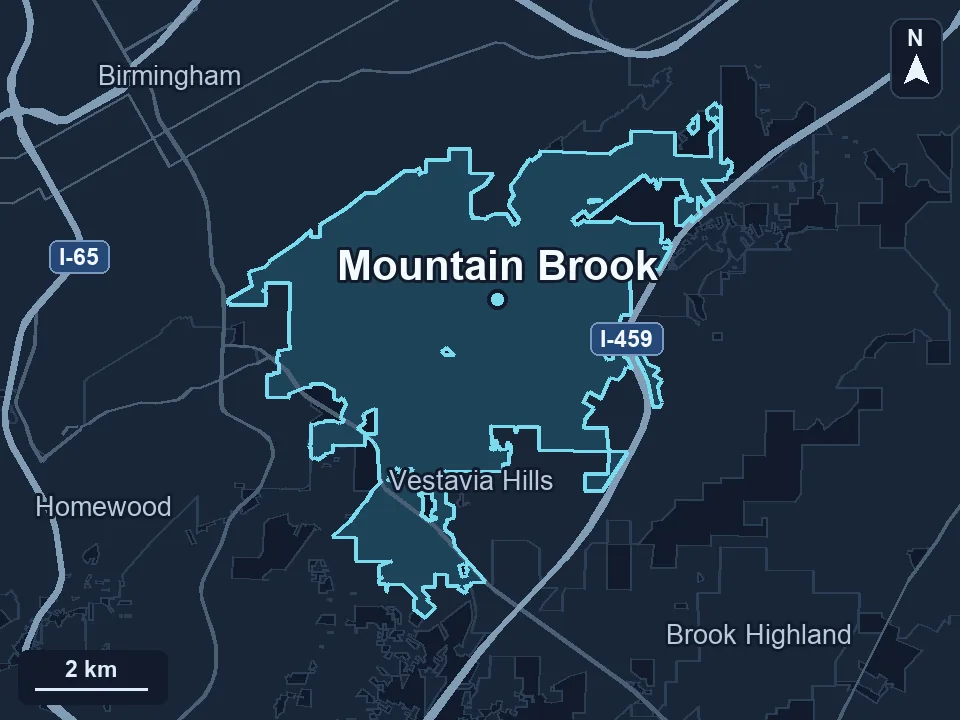
Zenogram serves Mountain Brook from our Hoover office. See the Mountain Brook service area and map.
Plan care for your Mountain Brook website
Share your site and one flow that customers use regularly. Tell us which pages or tools you want to keep working through the next update.
See the website maintenance process