Custom Web Development in Trussville, AL
Your office takes bookings for a workshop while a staff member also uses the room for private events. Both requests look open until someone checks the same calendar. Zenogram builds custom websites, portals and web apps for Trussville businesses that need their own booking, approval or integration rules.
What should a customer be able to request or confirm?
Booking tools with clear availability
Record the room, kit or staff member needed for each booking. Agree when a request temporarily holds that resource and when it becomes a confirmed reservation.
Customer and staff dashboards
Show customers whether a request is pending, confirmed or canceled. Let the right staff review changes and find the history when they need to answer a question.
Integrations with existing tools
Check which calendar, checkout or customer system can support the connection. Decide which system owns capacity and which one sends confirmations.
Waitlist handling
Decide who may offer a newly available slot and how long the recipient has to respond. Make the next step clear when that offer expires.
Functional changes to an existing site
Check whether an existing booking product, WordPress plugin or small custom feature meets the need. Keep the public site in place if it already works for customers.
Staff testing and handoff
Test with a staff user and a customer. Provide the agreed account access, ownership details and instructions for handling changes after launch.
How we work
Listen
Tell us which services you want to grow, who you serve and what is getting in the way.
Prioritize
We review what you already have and agree on which changes are worth making first.
Build and review
We build the agreed work, review it with you and check the steps customers will use.
When two bookings need the same room
Trussville publishes different reservation paths for park pavilions and Civic Center rooms. For a private business, picture a workroom used for both public classes and private parties. Decide whether a staff review, a payment or a confirmed time slot should reserve that room, and show the customer what happens next.
- Define when a hold expires. If a customer requests a Saturday time but needs staff approval, decide whether others can still request that room. Tell the customer how long to expect a response.
- Plan for a cancellation. Walk through who releases the room, whether the waitlist is notified, and how staff see that any required refund has been handled.
- Try a double request. Test a class and a private booking for the same room at overlapping times. Agree which result each customer and staff member should see.
What a customer-facing status can look like
Zenogram’s Town Favorite Customer Portal shows direct-mail orders and artwork approval status. A venue faces a different task. Showing whether a time is held or confirmed applies the same principle of making the next step visible.
Decide what belongs in the first release
Start with one room or booking type and try the rules with the person who runs the calendar. If the existing software handles the exceptions, a configuration change may meet the need.
- Bring a redacted example. Show where your team confirms a request, makes a calendar change or copies a status into a customer message. Use examples with no customer identifiers.
- Estimate around the dependencies. Review the number of booking types, staff roles and connected services. Confirm what the calendar and checkout providers support before committing to an integration.
- Agree on day-to-day ownership. Write down who changes booking rules, handles failed notifications and maintains integrations. Document account ownership and handoff before launch.
Frequently Asked Questions
Can customers keep using our current calendar or checkout?
We can review what the provider supports, how staff use it and where your team needs another step. We check for a supported connection before proposing a custom integration.
What if we only need a better reservation link?
A link or form update can make sense if the booking system already handles staff approvals and capacity. We can assess the current flow before estimating a new tool.
Can we start with one room and add others later?
Yes, when the first booking rules are clear. It helps to identify rooms, equipment or staff the first version shares with other booking types so you can account for conflicts.
What determines the timeline and cost?
Booking rules, permissions, calendar or payment connections, and what needs testing affect the scope. We use sample bookings and the provider’s supported options to estimate the work.
Serving businesses in Trussville
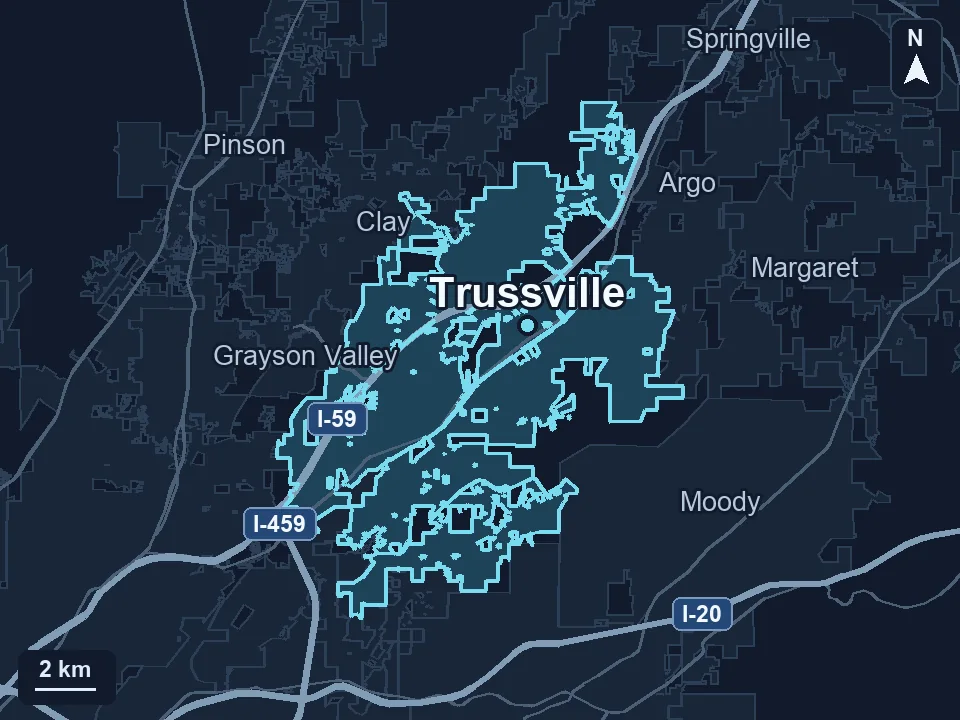
Zenogram serves Trussville from our Hoover office. See the Trussville service area and map.
Tell us where bookings become hard to manage
Describe a typical request, the shared room or resource, and what staff has to do to confirm it. A redacted example is enough to start.
Get a free audit