Website Maintenance in Trussville, AL
A customer opens your dinner menu on the way downtown and taps a reservation link. If the menu is out of date or the booking tool opens the wrong listing, the front desk has to catch the problem. Zenogram helps Trussville businesses keep those pages accurate and check what happens after someone taps.
Site maintenance for the details people use to plan a visit
Hours, menus and directions
Check what appears on your homepage, visit page and current menu. Plan changes with the manager who owns the details and make the same update in all relevant places.
Platform updates and recovery
Confirm which updates the host supports and set a maintenance window. Review the available backup and restore options before making a change that affects a key page.
Reservation and contact checks
Test links and forms from the pages customers open on a phone. Confirm the right venue, dates and service options appear after the visitor leaves your site.
A check from search to the right page
Open the menu or visit page people reach from search instead of starting at the homepage. Check that the essential details are visible without extra taps.
Clear staff notifications
Use an agreed test message to confirm that the reservation or inquiry is visible to the person on duty, including when another teammate is out.
A written record of changes
Record what changed and what passed on a phone and a desktop. List the person to contact if a separate reservation tool stops responding.
How we work
Listen
Tell us which services you want to grow, who you serve and what is getting in the way.
Prioritize
We review what you already have and agree on which changes are worth making first.
Build and review
We build the agreed work, review it with you and check the steps customers will use.
Prepare the site before a busy weekend
The Gateway lists dining, shopping and events in the Trussville Entertainment District. If a restaurant offers a shorter menu during a weekend event, a visitor who opens a saved menu link should see what is available that day and how to ask about seating.
- Give the manager a cutoff. Agree when the weekend menu and special hours need approval. Note when the normal details should return.
- Open the page a guest already has. Try the menu link from search and a saved message. Check for an outdated file or a location link that opens the wrong directions.
- Test the reservation handoff. On a phone, check that the reservation tool shows the right restaurant, service date and party options. Use the booking provider’s testing approach or an approved test.
Check the site again after an update
When a menu page and a booking tool are managed by different teams, separate what each team can see and fix. Check the full path after a supported update and record what you found.
- Start with the expected outcome. Pick one page and one task, such as opening tomorrow’s menu or sending a private dining question. Write down where the next screen or staff notification should appear.
- Identify the owner of any failure. Record the device, page and last completed step. Check whether the issue is in the website, the booking provider or the email setup before making another edit.
- Agree on restoration steps. Keep the old page details and applicable backup information handy. If the change disrupts a key action, the team can decide when to restore the previous version.
Frequently Asked Questions
Can you help if another provider built our website?
Share the public address and tell us which platform, domain and booking accounts your business can access. We can identify the site tasks we can take on and what still needs the host or booking provider.
Do we have to move our reservation system?
An existing tool can stay in place when it still supports the job. We can review the website links and agreed test steps with the person who manages that account.
Can you update only the pages people visit most?
Yes. Start with the pages visitors depend on, such as the current menu, reservations or directions. Confirm who approves the content and how often it changes.
Can you take care of a new multi-room booking feature?
A feature that assigns rooms or changes availability rules is a separate development project. We can review what the current tool supports, then scope the work if a new build makes sense.
Serving businesses in Trussville
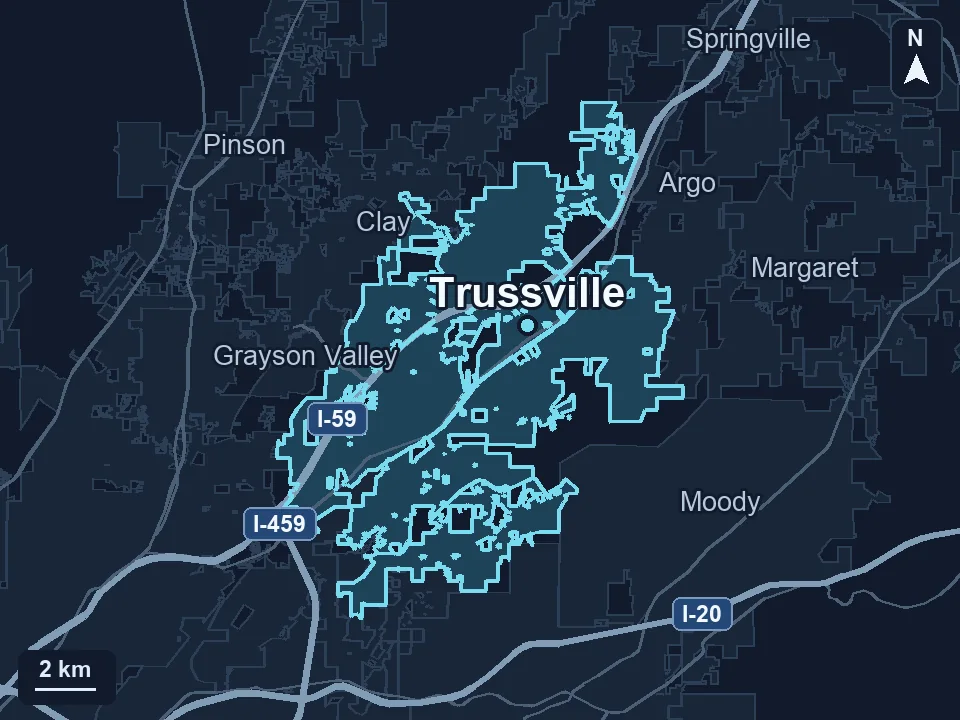
Zenogram serves Trussville from our Hoover office. See the Trussville service area and map.
Which part of the site needs attention before the weekend?
Share your URL, one page or button customers rely on, and any dates your team needs to work around.
See the website maintenance process