Custom Web Development in Vestavia Hills, AL
A customer approves a quote by email. The office updates a spreadsheet, and the person scheduling the job still has to ask which version to use. Zenogram builds custom websites, portals and web apps for Vestavia Hills teams that need those steps to agree.
What should the website handle for your team?
Quote requests with the right detail
Ask different follow-up questions for different jobs. Give the estimator the project address, scope and attachments needed for a first conversation.
Customer and staff portals
Let a customer see the version that needs their approval. Give staff access to the history, internal notes and follow-up tasks appropriate to their role.
Connections with existing tools
Check what your estimating, scheduling or customer system can send and receive. Agree which tool owns each record before linking them.
Dashboards for exceptions
Show the entries that need a person, such as a quote waiting on a drawing or an approval attached to an older version.
Custom WordPress functionality
If your current site is WordPress, assess whether a supported plugin meets the requirement or whether a small custom extension needs scoping.
Testing and handoff
Test the agreed job from end to end. Document account access, recurring costs and the person responsible for maintaining each connection.
How we work
Listen
Tell us which services you want to grow, who you serve and what is getting in the way.
Prioritize
We review what you already have and agree on which changes are worth making first.
Build and review
We build the agreed work, review it with you and check the steps customers will use.
Follow a revised estimate from request to approval
The Vestavia Hills Chamber lists remodeling and furniture businesses in its Home & Garden directory. Consider a remodeler pricing built-in shelving. If a customer changes the finish after an estimate is sent, the office needs to know which drawing and amount the customer has approved.
- Give a change an owner. When the buyer requests another finish, decide who prepares the new price and who may send it for approval.
- Make the version clear. Keep the earlier estimate in the history. Show the buyer the revised amount, drawing and approval date in one place.
- Handle the awkward case. Walk through what happens when a customer replies to the old email after approving the revision. That example can reveal a missing rule before a developer writes code.
A real example of customer approval in a portal
Zenogram’s Town Favorite Customer Portal shows direct-mail orders and the status of artwork approvals. The portfolio screenshot shows a customer can see which order needs attention. For a different business, the first design decision is what the customer should be able to review and who can approve it.
Choose the smallest build that solves the job
If a standard form collects what your office needs and the office can handle the next step, it may be enough to configure that form. A custom build is worth scoping when users need different permissions, revisions must follow an approval rule or information has to move reliably between tools.
- Bring one completed request. Use a redacted example to show the screens, emails and spreadsheets involved. Mark the point where someone has to copy information or make a decision.
- Try the workflow before building it. Use a sketch or prototype to try an ordinary request, a revision and a cancellation. Agree on the first release, costs and acceptance checks.
- Test the handoff before launch. Have an office user and a customer test the relevant steps. Confirm ownership, backups and ongoing maintenance before moving real work into the new tool.
Frequently Asked Questions
Do we need to replace our existing website?
Often the public site can stay in place. We assess whether a separate portal, an integration or a small feature on your current site can handle the work.
What determines the price and timing?
The number of roles, approval rules, connected systems and records to migrate affects the scope. Sample records and access to a test system help us identify dependencies and estimate the first release.
Can you connect to our current software?
Send the product name and the job it needs to do. We check the vendor’s supported API, export options and account requirements before committing to an integration.
Who owns the code if we change providers?
We set out ownership and licensing in the project agreement. Before work begins, agree which source files, accounts, data exports and instructions your team receives at handoff.
Serving businesses in Vestavia Hills
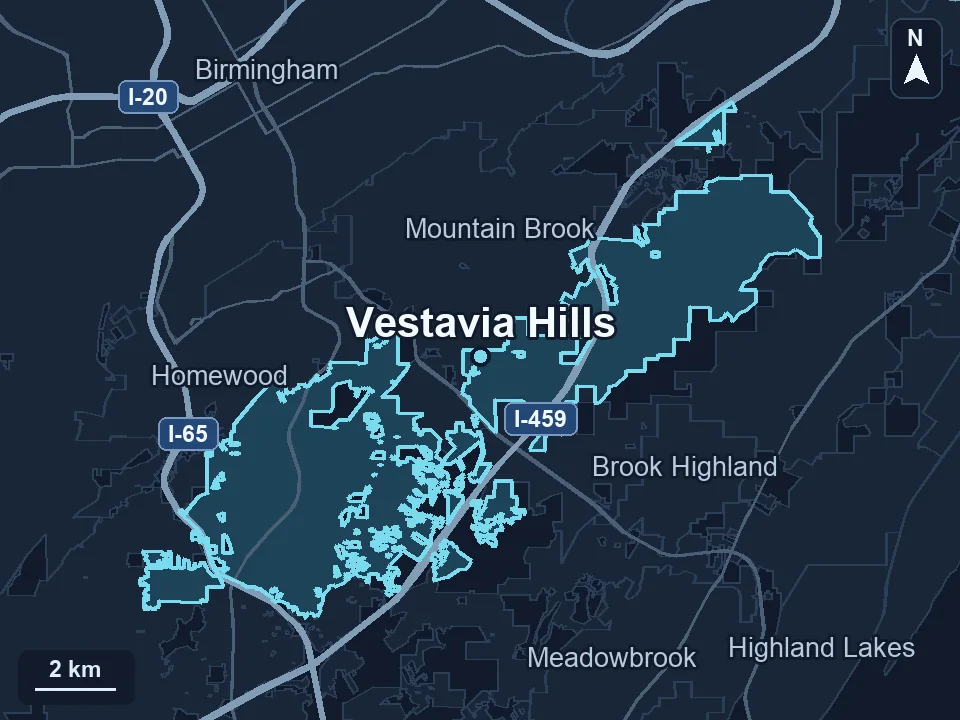
Zenogram serves Vestavia Hills from our Hoover office. See the Vestavia Hills service area and map.
Which step would you stop doing by hand?
Describe one task, who carries it out and the tools it touches. A redacted example of a quote, booking or approval gives us a place to start.
Get a free audit