Website Maintenance in Vestavia Hills, AL
When you extend store hours or open a workshop for booking, a customer may still land on last season’s page. Zenogram helps Vestavia Hills businesses keep those details current and test the links and forms that customers use.
Website care for the pages customers rely on
Seasonal content changes
Set a start and end date for holiday hours, registration pages and pickup notices. Give staff one place to approve the details.
Platform and plugin updates
Identify which parts your team, your host and Zenogram can update. Agree when to make changes and what to test afterward.
Backups and recovery
Check what the host backs up and what lives in outside tools. Document who can restore a copy and where they can find it.
Form delivery
Send an agreed test inquiry and ask the person who handles it to confirm it arrived. A confirmation screen alone tells only half the story.
Booking and pickup links
Try the link from the page a customer actually visits. Confirm that the next screen shows the right location, date or service.
A record of changes
Keep track of the pages and settings that changed, the checks that passed and any follow-up the owner needs to handle.
How we work
Listen
Tell us which services you want to grow, who you serve and what is getting in the way.
Prioritize
We review what you already have and agree on which changes are worth making first.
Build and review
We build the agreed work, review it with you and check the steps customers will use.
When the event ends, what does the link show?
Holiday in the Hills, presented by the City and the Vestavia Hills Chamber, encourages local shopping. Imagine a Rocky Ridge shop linking to a wreath workshop. Someone may save the link, then open it after registration closes. That page can still give them hours, directions or a way to hear about the next workshop.
- Check the first place people land. An old email or social post may go straight to the event page. Read that page on its own before deciding which details to carry forward.
- Follow the booking step on a phone. Try registration while spaces are available and again when sign-ups close. Agree on a message for someone arriving late.
- Decide who takes the page down. Put an owner and an end date on temporary details so the shop can return to its regular schedule.
What a recorded site check looks like
Zenogram’s Tsunami Pressure Washing case study shows the date and the mobile and desktop PageSpeed results for its homepage. We use that kind of record to give a site owner a reference point when a later update changes how a page loads.
How to find a problem after an update
Pick one journey the business depends on and record what should happen at each step. A shop might test a pickup request. A practice might check the route from its hours page to the booking tool.
- Trace failures to the right owner. If the website opens the correct booking page but that page shows no appointments, check the scheduling tool before changing the site link.
- Protect real customer activity. Use a test environment or an agreed test booking where the platform allows it. Clean up any test entry with the staff member who manages the calendar.
- Keep a recovery note. Record the last change, the affected page and the backup or support contact that can help restore it.
Frequently Asked Questions
Can you take over a site another team built?
Share the URL and tell us which parts you can access. We review the platform, domain, hosting and any separate tools, then explain which tasks we can support and which stay with a provider.
Can we keep making our own content edits?
Yes. We can agree which hours, photos and service details your team updates and who handles code, templates or plugins. Keep a shared record so one team’s edit does not undo another’s.
What if we have an important event coming up?
Send the event date, the page customers will visit and the last date they can register. We can plan a check before promotion starts and another when registration closes.
Is fixing an existing feature part of care?
A broken button or outdated link can be assessed against the care scope. A new booking rule or a different checkout flow needs its own estimate. We will identify which you have before proposing work.
Serving businesses in Vestavia Hills
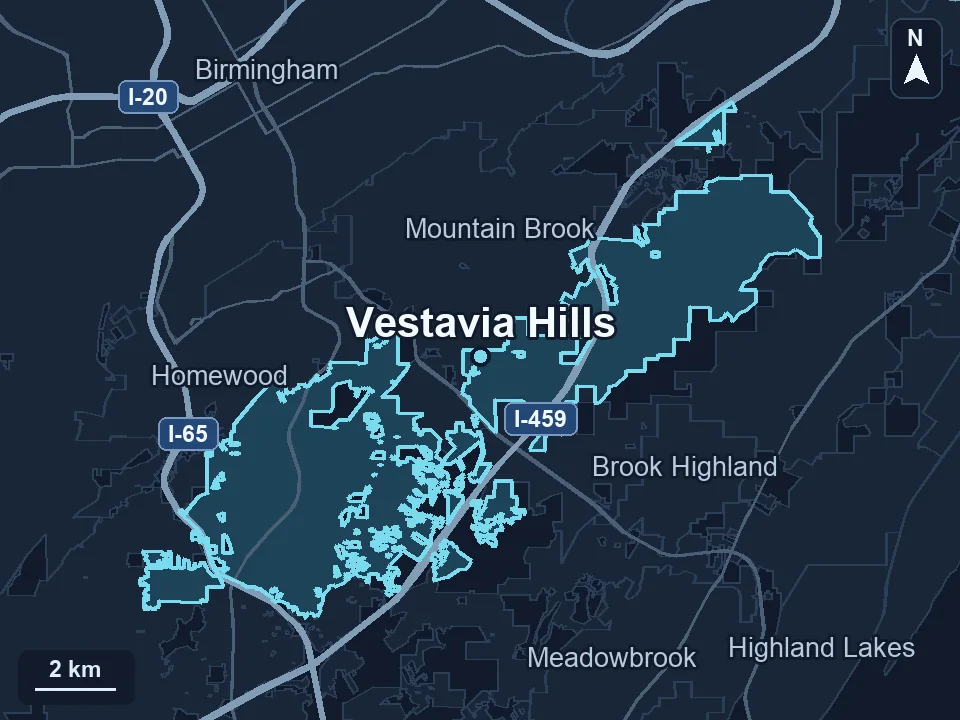
Zenogram serves Vestavia Hills from our Hoover office. See the Vestavia Hills service area and map.
What does your website need to keep working?
Send your site address, one task a customer depends on and any busy dates we should plan around.
See the website maintenance process