App Design & Development in Birmingham, AL
Give customers or staff a clear way to complete a task, whether that’s approving artwork, tracking an order, or submitting a field update. From our Hoover office, Zenogram helps Birmingham businesses decide what to build, design the experience, and test it with the people who will use it.
App design and development services
Start with one task people need to finish. Use it to decide what the first release should include.
App planning
Identify who will use the app, what they need to do, and what your first version must support.
User flows and prototypes
Lay out key steps and test a clickable prototype with the people who will use it.
Customer portals
Give signed-in customers access to orders, documents, or approvals through a browser.
Mobile app development
Plan the build for iOS, Android, or both based on device needs and how people will use it.
Data and integrations
Decide which system owns each record and how information moves between the app and your existing tools.
Explore Birmingham Workflow AutomationTesting and handoff
Test core tasks, access, and recovery steps, then agree on what your team will manage after launch.
How we work
Listen
Tell us which services you want to grow, who you serve and what is getting in the way.
Prioritize
We review what you already have and agree on which changes are worth making first.
Build and review
We build the agreed work, review it with you and check the steps customers will use.
Choose a website, customer portal, or mobile app
A Birmingham business might need to show its services publicly, let customers check progress, or help a field team collect information at a job. The task and the conditions in which people do it determine which platform makes sense.
- Start with a public website for information, simple forms, or bookings customers should reach without signing in.
- Use a web portal when customers need to sign in for private orders, documents, or approvals.
- Consider a mobile app when regular use, phone features, or work with unreliable connectivity matters to the task.
How Town Favorite shows orders and artwork approvals
Zenogram built the Town Favorite Customer Portal so customers can review direct-mail orders, see the status of artwork approvals, and find ad design tools in one place. If your Birmingham team spends time answering status questions, start by identifying which updates customers could check for themselves and what they need to do next.
Test the first version against real tasks
We agree on the smallest release that lets someone finish a meaningful task. That might be checking an order as a customer or sending a field update that staff can review.
- Test with separate roles so customers, staff, and admins see the information they need.
- Walk through a failed step such as a lost connection, a missing file, or an expired sign-in.
- Agree on the handoff including access, updates, and who handles issues after release.
Frequently Asked Questions
Does my business need a mobile app or a website?
A website usually works for public information and simple bookings. Consider a portal for private information or approvals, and a mobile app when the task depends on regular use, device features, or work with limited connectivity.
Can we start with a prototype?
Yes. We can sketch the steps and build a clickable prototype so staff or customers can try the key task before you commit to development.
Can you work with the website or software I already use?
We can review the system, the access available, and the integration it supports. We’ll agree on which information needs to move and how your team will handle an interrupted transfer.
Do I need an iPhone and an Android version?
That depends on who will use the app, which devices they have, and the features they need. A browser-based first release can be enough for a portal.
What should I send for an app estimate?
Tell us who needs to use the app, one or two tasks they must finish, and the tools they use now. Mention any launch deadline or device requirement.
Can you help a Birmingham business from Hoover?
Yes. Zenogram serves Birmingham from its Hoover office. We can review your workflow with your team and agree on how to test the first version.
Serving businesses in Birmingham
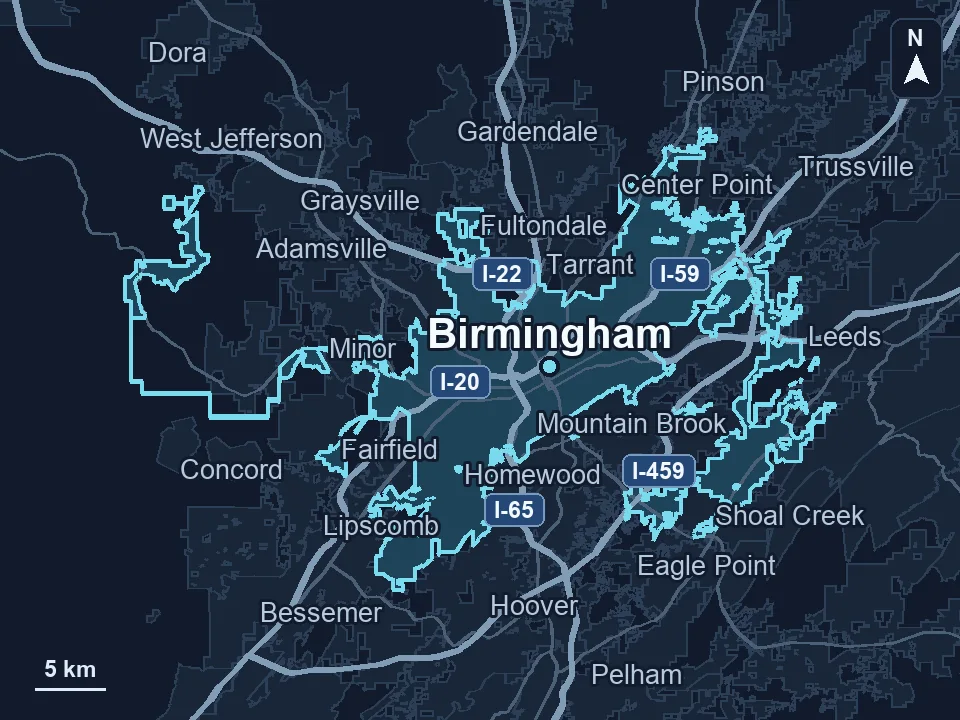
Zenogram serves Birmingham from our Hoover office. See the Birmingham service area and map.
Discuss your Birmingham app project
Tell us who will use it and the task they need to finish. We’ll discuss a website, portal, or mobile app based on that goal.
See the portal example