Marketing for Birmingham Dental Practices
Someone booking a first dental exam has different questions from someone who needs an urgent appointment. From our Hoover office, Zenogram helps Birmingham dental practices make scheduling, office details, and insurance information easier to find.
Marketing services for Birmingham dental practices
Local SEO
Help people reach the right Birmingham office by keeping listings, hours, phone numbers, and appointment links current.
Explore Local SEOWebsite Design
Give new-patient visits, urgent appointments, and insurance information clear places on your site with the right scheduling or phone option.
Explore Website DesignBusiness Listing Services
Find public directory entries with old hours, addresses, or phone numbers that can send patients to the wrong office.
Explore Business Listing ServicesContent Marketing
Answer questions about what to bring, which plans the office accepts, and who patients should call to confirm details.
Explore Content MarketingTechnical SEO
Find redirects, broken links, and indexing issues that make appointment or office pages harder to reach.
Explore Technical SEOWebsite Maintenance
Keep hours, provider information, and approved scheduling links current as the practice changes.
Explore Website Maintenance
How we work
Listen
Tell us which services you want to grow, who you serve and what is getting in the way.
Prioritize
We review what you already have and agree on which changes are worth making first.
Build and review
We build the agreed work, review it with you and check the steps customers will use.
Make new-patient and urgent appointment options easy to find
Help patients confirm that they have reached the right office and understand how that team handles appointment requests. Put the contact option where people are already reading about the visit they need.
- Give first-time patients a starting point. Explain how to request a first exam, what to bring, and where to find the practice’s approved patient forms.
- Show how to ask about urgent appointments. Publish the number the office monitors and the hours patients can call. Describe same-day availability only when the office offers it.
- Check where each listing sends patients. Use the correct office page and phone number, and test that the scheduling destination matches that office.
Google’s Business Profile guidelines for practices and practitioners
An event website that puts visit details next to the action
The Mid-America Offroad Expo site puts the venue, hours, and ticket link close together for its Wilmington, Ohio event. A dental practice can apply that page structure by putting office hours, arrival details, and the scheduling link together.
Answer insurance and first-visit questions before patients call
Give patients a clear place to check insurance and payment information, and show them how to contact the office if they need to confirm details before booking.
- Publish current plan information for each office. Ask the front desk to review the wording and provide a direct number for patients who need to confirm their plan.
- Put office details near the appointment link. Include the address, staffed hours, and parking or arrival notes that help a first-time patient reach the office.
- Use the practice’s existing scheduling tools. Send patients to the approved booking system, portal, or phone line. Check each path on a phone with the people who handle it.
Explore more marketing services
Frequently Asked Questions
What belongs on a new-patient dental page?
Explain how to request a first visit, what to bring, and how to find the right office. Link to your approved scheduling system and patient forms.
Where should the urgent dental appointment option go?
Make it easy to find from the relevant service page and from your office contact information. List the phone number and hours your team uses for those calls.
How should we list dental insurance information?
Keep the plans your office works with current and give patients a number to call to confirm their plan before booking. Give each location its own details when they differ.
Can we keep our current online scheduling platform?
Yes. We can review which pages should link to it and test the route to the correct office or appointment option on a phone.
Can one website serve several Birmingham dental offices?
Yes. Give each office its own page with accurate hours, providers, insurance information, and scheduling details. Link to the relevant offices from shared service pages.
What should a dental practice share with Zenogram for an audit?
Send your public website and listing URLs, the offices you want reviewed, and the visit types patients have trouble finding. Share public practice information only.
Serving businesses in Birmingham
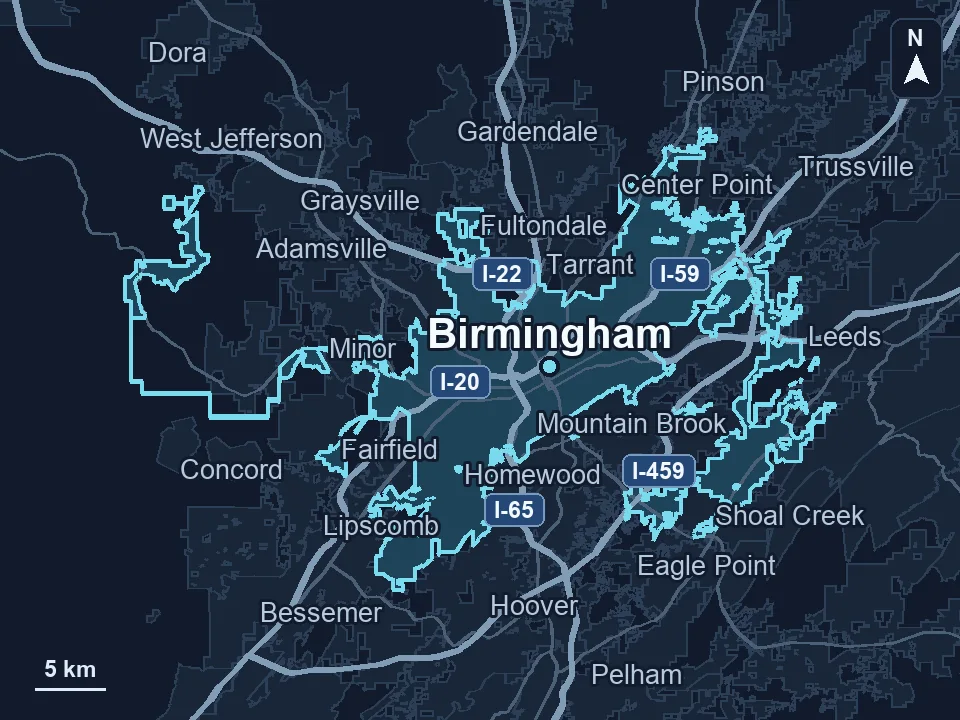
Zenogram serves Birmingham from our Hoover office. See the Birmingham service area and map.
Discuss marketing for your dental practice
Tell us which services or offices you want patients to find and where scheduling information could be clearer. Please share public practice information only.
Request a free SEO audit