Custom Web Development in Hueytown, AL
A new request lands in the office inbox while a customer calls about the same job. Staff have to decide whether it belongs to an existing ticket, who should handle it and what the customer needs to hear. Zenogram builds custom web tools for Hueytown businesses that need to manage those steps together.
Build around the work that happens after a request
Intake and request records
Give staff an agreed way to record jobs from the website and the phone. Collect enough detail for the next decision and give each request a place to record follow-up.
Assignments and role-based access
Decide who can assign a job, update it or close it. Give office staff and field teams the information each needs, including who owns jobs waiting on a decision.
Integrations and status updates
Check what your scheduling or job system can already do and where an integration is supported. Define which tool owns the current status, and what happens if a sync fails.
Show customers what happens next
Define when a request is received, when a visit is confirmed and when the office needs more information. Match notifications to the steps your team can actually deliver.
Keep a place for jobs that need a decision
Set a clear owner for requests outside your service area, duplicate messages or jobs that cannot be assigned yet.
How we work
Listen
Tell us which services you want to grow, who you serve and what is getting in the way.
Prioritize
We review what you already have and agree on which changes are worth making first.
Build and review
We build the agreed work, review it with you and check the steps customers will use.
Bring phone and online requests into one routine
Hueytown Public Works gives residents a phone number and an online reporting tool. A private business can face a similar question when it takes requests in more than one place. For example, a repair company may need to find an existing job when a customer calls after filling out a form.
- Write down the information staff need. A dispatcher may need the customer’s address, job type and callback number to choose the next step. Ask for only what the first decision requires.
- Make duplicate requests easy to spot. Let staff look up a recent request and decide whether to attach another message to it. Preserve the customer’s information and the record of who made the decision.
- Separate confirmation from scheduling. Confirm that the office received the request. Send an appointment window after staff have checked and reserved it.
Test an ordinary job and the jobs that get stuck
A request that can go straight to a technician is a good baseline. Test a few cases that need office judgment before deciding which parts to automate.
- Test a reassignment. Try a job that moves to a different technician. Check who can update the record and whether the customer receives the correct timing.
- Write the response for a missing detail. Assign the request to a person and give them a way to ask for the needed information. Keep these jobs visible until someone follows up.
- Plan what staff can do when an integration is unavailable. Decide whether to hold an update for retry or alert a person to handle it. Make it possible to tell whether the customer was actually notified.
Frequently Asked Questions
Can we keep our existing website and add an operations tool?
Yes. We can review whether the public site can point customers to a separate web app, intake form or portal and check what can connect to your current systems.
Will it connect to the job software we use now?
That depends on the provider, your plan and supported integration access. We check what information can move safely, what tool stays authoritative, and where staff need a manual fallback.
How do we decide what customers should see?
Choose which steps matter to a customer, such as acknowledgment, scheduling or a request for more details. Keep internal assignments and staff notes in the appropriate role.
Can we start with one team or type of service?
Yes. Pick one path from the first request to a completed job. Test it with the people who use it, including the office and field staff, and expand after that path works.
Serving businesses in Hueytown
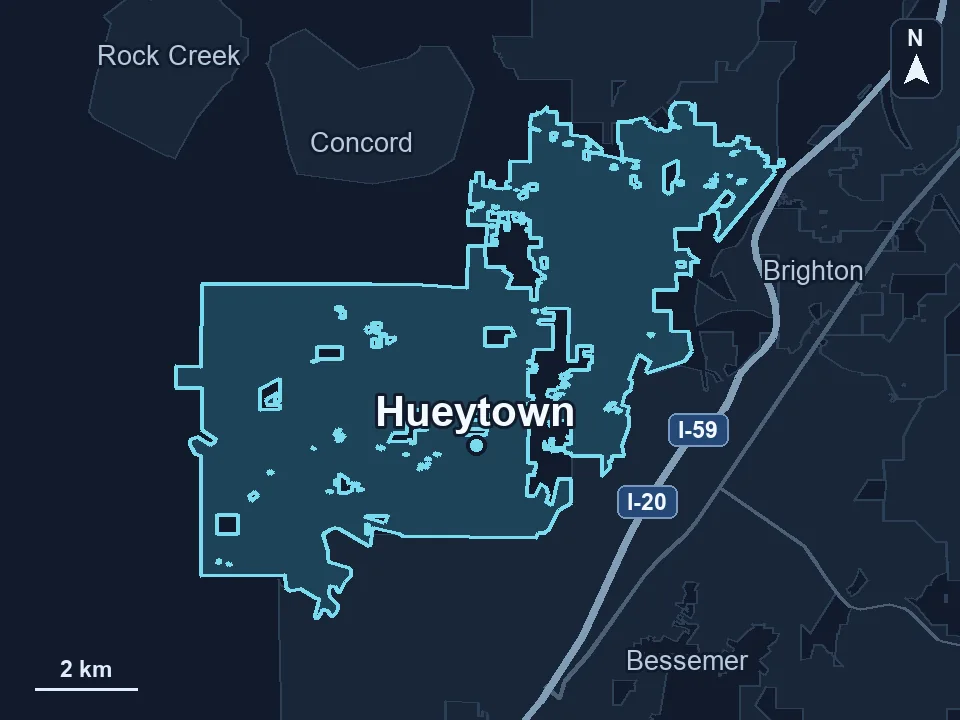
Zenogram serves Hueytown from our Hoover office. See the Hueytown service area and map.
Walk us through a request your team handles today
Describe how it gets from the website or phone to the person who schedules the work. Tell us which tools are involved and what usually causes staff to follow up twice.
See custom development services